⁦Compare Epson EcoTank L3250 Printer vs EcoTank L3210 Printer⁩

A full comparison of Epson printers on price, Borderless Printing, Standard Black Ink Bottle, Standard Colour Ink Bottles, 10×15 cm Photo Print Speed, and technical specs.

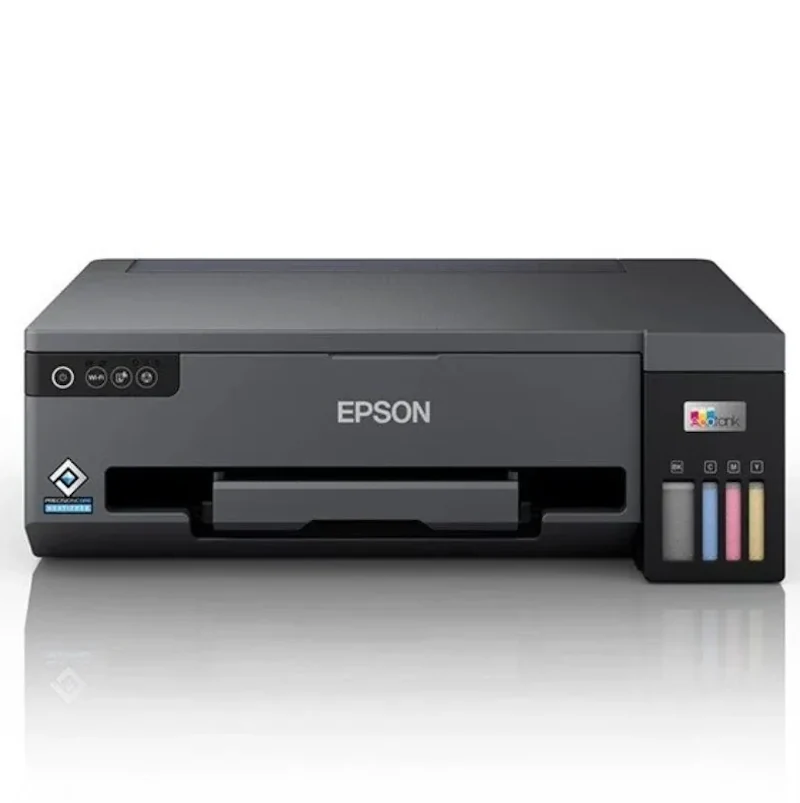
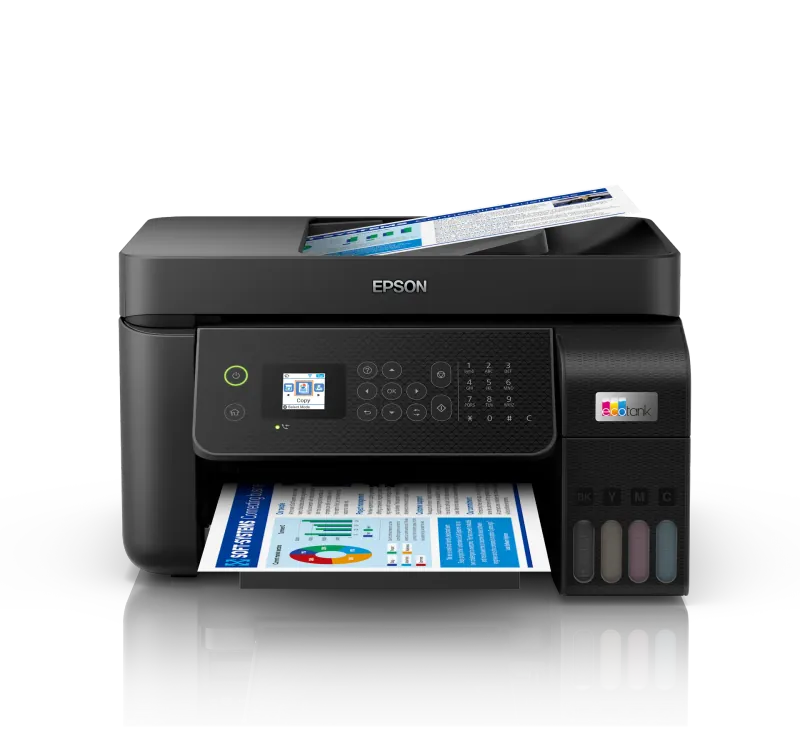
Best Overall ⁦Epson EcoTank L3250 Printer⁩

⁦EcoTank L3250 Printer⁩

Wider Connectivity Faster Photo Printing

A multifunction color ink tank printer for printing, scanning, and copying, with Wi-Fi and Wi-Fi Direct, ISO s…

$145.00

in stock

View product
Lower Sleep Power ⁦Epson EcoTank L3210 Printer⁩

⁦EcoTank L3210 Printer⁩

Print, Scan and Copy Best Price

An Epson EcoTank printer identified by model L3210, intended for users researching this specific tank-printer…

$130.00

in stock

View product

Specifications

Specification ⁦EcoTank L3250 Printer⁩ ⁦EcoTank L3210 Printer⁩
Price $145.00 $130.00
Features
Printer Functions Print, Scan, Copy Print, Scan, Copy
Quiet Mode Yes Yes
Printer Specifications
تقنية الطباعة Epson Micro Piezo Epson Micro Piezo
Printing
Print Colors 4 4
Ink System Black, Cyan, Magenta, Yellow Black, Cyan, Magenta, Yellow
Maximum Print Resolution ⁦5760 × 1440⁩ dpi ⁦5760 × 1440⁩ dpi
Duplex Printing Manual Manual
Borderless Printing ⁦Up to 10 x 15⁩ ⁦Up to A4⁩
Paper size ⁦A4⁩ ⁦A4⁩
Ink
Ink Technology Dye Ink Dye Ink
Included Black Ink Yield ⁦8100 pages⁩ ⁦8100 pages⁩
Included Color Ink Yield ⁦6500 pages⁩ ⁦6500 pages⁩
Standard Black Ink Bottle ⁦Espon 103⁩ ⁦Epson 103⁩
Standard Colour Ink Bottles ⁦Espon 103⁩ ⁦Epson 103⁩
Replacement Black Ink Bottle Yield ⁦4500 pages⁩ ⁦4500 pages⁩
Performance
Print Speed Black ⁦33 ppm⁩ ⁦33 ppm⁩
Maximum Print Speed Color ⁦15 ppm⁩ ⁦15 ppm⁩
ISO Print Speed Black ⁦10 ppm⁩ ⁦10 ppm⁩
ISO Print Speed Color ⁦5 ppm⁩ ⁦5 ppm⁩
10×15 cm Photo Print Speed ⁦27 sec⁩ ⁦69 sec⁩
Print Head
Black Nozzles 180 180
Nozzles Per Color 59 59
Minimum Droplet Size ⁦3 pl⁩ ⁦3 pl⁩
Copy
ISO Copy Speed Black ⁦7.7 ppm⁩ ⁦7 ppm⁩
Copy Resolution ⁦600 × 600 dpi⁩ ⁦600 × 600 dpi⁩
Scanning
Scanner Type Flatbed CIS Contact Image Sensor (CIS)
Optical Scan Resolution ⁦1200 × 2400 dpi⁩ ⁦1200 × 2400 dpi⁩
Maximum Scan Area ⁦21.6 × 29.7 cm⁩ ⁦21.6 × 29.7 cm⁩
Scan Output Formats BMP, JPEG, PICT, TIFF, PDF, PNG BMP, JPEG, PICT, TIFF, PDF, PNG
Flatbed Scan Speed ⁦Black: 11; Colour: 28 sec⁩ ⁦Black: 11; Colour: 28 sec⁩
Scanner Sensor Type CIS CIS
Colour Scanning Yes Yes
Monochrome Scanning Yes Yes
Maximum Scan Resolution ⁦1200 × 2400 dpi⁩ ⁦600 × 1200 dpi⁩
Hardware Scan Resolution ⁦1200 × 2400 dpi⁩ ⁦600 × 1200 dpi⁩
Connectivity
Wireless Connectivity Yes
Wi-Fi Direct Yes
Mobile Printing Services Epson Connect (iPrint, Email Print, Remote Print Driver)
Interfaces USB, Wi-Fi, Wi-Fi Direct USB
Network Protocols ⁦IPv4,IPv6⁩
Supported OS Windows , Mac OS ⁦Mac OS X 10.6.8 or later; Windows 10; Windows 8.1; Windows 8; Windows 7; Windows Vista; Windows XP SP3 or later (32-bit); Windows XP Professional x64 Edition SP2 or later; Windows Server 2003 SP2 or later; Windows Server 2003 R2; Windows Server 2008 (32/64-bit); Windows Server 2008 R2; Windows Server 2012 (64-bit); Windows Server 2012 R2; Windows Server 2016⁩
Email Print Yes
Compatibility
Chromebook Native Print Yes Yes
Paper Handling
Paper Input Capacity ⁦100 sheets⁩ ⁦100 sheets⁩
Paper Output Capacity ⁦30 sheets⁩ ⁦30 sheets⁩
Paper Trays 1 1
Supported Paper Weight ⁦64–300 g/m²⁩ ⁦64–300 g/m²⁩
Photo Paper Capacity ⁦20 sheets⁩ ⁦20 sheets⁩
Standard Paper Tray Capacity ⁦100 sheets⁩ ⁦100 sheets⁩
Dimensions
Width ⁦375 mm⁩ ⁦375 mm⁩
Depth ⁦347 mm⁩ ⁦347 mm⁩
Height ⁦179 mm⁩ ⁦179 mm⁩
Physical
Weight ⁦3.9 kg⁩ ⁦3.9 kg⁩
Printer Colour Black Black
Power
Supply Voltage ⁦220–240 V⁩ ⁦220–240 V⁩
Frequency ⁦50-60 Hz⁩ ⁦50-60 Hz⁩
Ready Mode Power ⁦4.5 W⁩ ⁦4 W⁩
Sleep Mode Power ⁦0.7 W⁩ ⁦0.4 W⁩
Power Off Consumption ⁦0.2 W⁩ ⁦0.2 W⁩
Printing Power Consumption ⁦12 W⁩ ⁦12 W⁩
Standalone Copying Power Consumption ⁦12 W⁩ ⁦12 W⁩
Copying Power Consumption ⁦12 W⁩ ⁦14 W⁩
Printer
Printer Category Home, Home Office Home, Home Office
Printer Language ESC/P-R ESC/P-R
Product SKU ⁦C11CJ67405⁩ ⁦C11CJ68401⁩
Software
Desktop Printing and Scanning Software Epson ScanSmart Epson ScanSmart

Summary: Which Printer Should You Choose?

Choose EcoTank L3250 if you need:

  • Wireless printing through Wi-Fi or direct device connections using Wi-Fi Direct.
  • Epson Connect services, including iPrint, Email Print, and Remote Print Driver.
  • 10 × 15 cm photo printing in 27 seconds instead of 69 seconds.

Choose EcoTank L3210 if you need:

  • Print, scan, and copy functions with a direct connection rather than wireless connectivity.
  • Lower ready-mode consumption of 4 W versus 4.5 W.
  • Lower sleep-mode consumption of 0.4 W versus 0.7 W.

Decision: The EcoTank L3250 is the better overall choice because of its wireless connectivity and substantially faster photo printing. The L3210 retains nearly identical core printing and scanning specifications while using less power in ready and sleep modes.

What Is the Difference Between Epson EcoTank L3250 Printer and Epson EcoTank L3210 Printer?

Both are A4 multifunction printers with print, scan, and copy capabilities. They share a maximum print resolution of 5760 × 1440 dpi, ISO speeds of 10 ppm in black and 5 ppm in colour, and a 1200 × 2400 dpi scanning resolution. Each also has a 100-sheet input capacity, manual duplex printing, and borderless photo printing up to 10 × 15 cm.

The main difference is connectivity. The L3250 supports Wi-Fi, Wi-Fi Direct, Epson Connect services, and email printing, while the supplied data explicitly lists wireless connectivity, Wi-Fi Direct, and email printing as unsupported on the L3210. The L3250 is also considerably faster for 10 × 15 cm photos, taking 27 seconds compared with 69 seconds. The L3210 uses slightly less power, consuming 4 W instead of 4.5 W in ready mode and 0.4 W instead of 0.7 W in sleep mode.

The L3250 benefits users who want mobile or network-based printing and faster photo output. The L3210 may suit users who rely on a direct connection and prioritise the core functions with lower idle power consumption.

Frequently asked questions