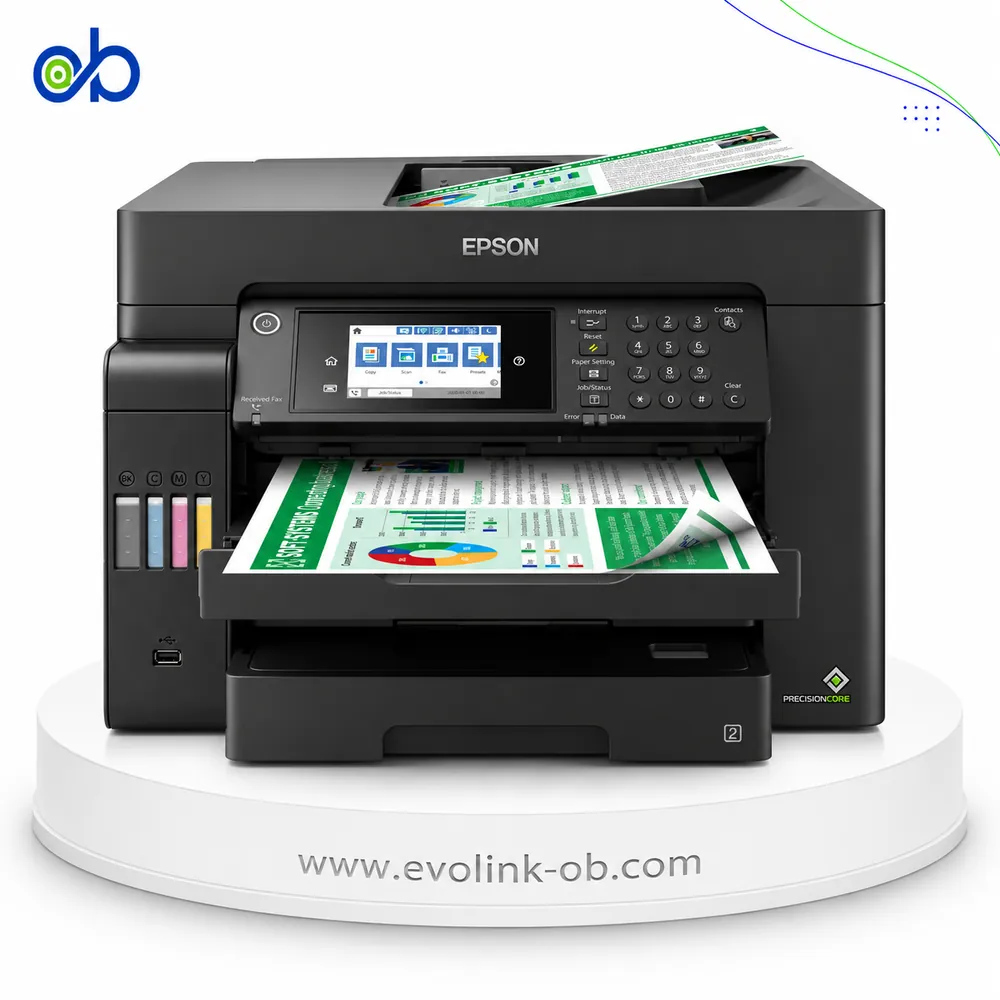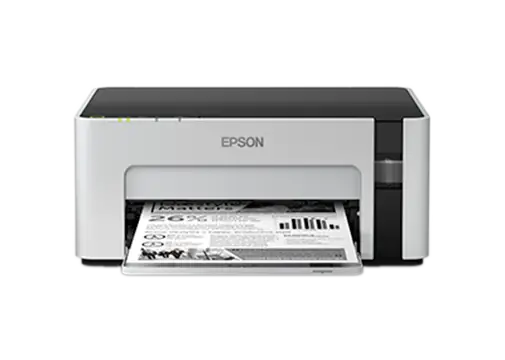
EcoTank M1129 Printer
A single-function monochrome ink tank printer using black pigment ink, with ISO speeds up to 15 ppm, Wi-Fi and…
Not for sale
A full side-by-side comparison of reference models EcoTank M1129 Printer and EcoTank ST-4000 Printer within the same category.
A single-function monochrome ink tank printer using black pigment ink, with ISO speeds up to 15 ppm, Wi-Fi and…
Not for sale

A color multifunction Supertank printer for printing, copying, scanning, and faxing, with Wi-Fi Direct, Ethern…
Not for sale
| Specification | EcoTank M1129 Printer | EcoTank ST-4000 Printer |
|---|---|---|
| Price | Not for sale | Not for sale |
| Features | ||
| Printer Functions | Print, Scan, Copy, Fax | |
| LCD Display | — | 2.4-inch color touchscreen |
| Quiet Mode | Yes | Yes |
| Printer Specifications | ||
| تقنية الطباعة | Epson Micro Piezo | Epson PrecisionCore |
| Printing | ||
| Print Colors | 1 | 4 |
| Ink System | Black | Black, Cyan, Magenta, Yellow |
| Maximum Print Resolution | 1440 x 720 dpi | 4800 x 1200 dpi |
| Duplex Printing | Manual | Automatic |
| Borderless Printing | No | Yes |
| Paper size | A4 | A4 |
| Print Margins | — | Single sheets: 3 top and bottom; envelopes: 3 left and right, 5 top and bottom mm |
| Ink | ||
| Ink Technology | Pigment Black + Dye Colour | Pigment Black + Dye Colour |
| Included Black Ink Yield | — | 14000 pages |
| Included Color Ink Yield | — | 11200 pages |
| Standard Black Ink Bottle | Epson 006S Black | Epson 502 Black, 127 ml |
| Standard Colour Ink Bottles | — | Epson 502 Cyan, Epson 502 Magenta, Epson 502 Yellow |
| Replacement Black Ink Bottle Yield | 2000 pages | 7500 pages |
| Performance | ||
| Print Speed Black | 32 ppm | — |
| ISO Print Speed Black | 15 ppm | 15 ppm |
| ISO Print Speed Color | — | 8 ppm |
| First Page Out Time (Black) | 8 sec | — |
| ISO Duplex Print Speed Black | — | 6.5 ppm |
| ISO Duplex Print Speed Color | — | 4.5 ppm |
| Recommended Monthly Volume | — | 800 pages |
| Maximum Monthly Duty Cycle | — | 5000 pages |
| Print Head | ||
| Black Nozzles | 360 | — |
| Minimum Droplet Size | 3 pl | 3.3 pl |
| Copy | ||
| ISO Copy Speed Black | — | 11 ppm |
| ISO Copy Speed Color | — | 5.5 ppm |
| Maximum Copies | — | 99 copies |
| Copy Zoom | — | 25-400 % |
| Maximum Copy Size | — | 8.5 x 14 inches (Legal) |
| N-in-1 Copy | — | 2-up |
| Copy Features | — | Black-and-white or color copying, 1-sided to 2-sided, density adjustment, reduction/enlargement, Auto Fit Page, 2-up, Standard/Best quality, shadow removal, punch-hole removal, ID card copy and borderless copy |
| Scanning | ||
| Scanner Type | — | Flatbed color scanner |
| Optical Scan Resolution | — | 1200 x 2400 dpi |
| Maximum Scan Area | — | 21.6 x 29.7 cm |
| Scan Output Formats | — | BMP, JPEG, PICT, TIFF, PDF, PNG |
| Scan-to Features | — | Scan to Cloud, Scan to Computer |
| Scanner Sensor Type | — | CIS |
| Scanner Colour Bit Depth | — | 48: input : 24- output bit |
| Scanner Grayscale Bit Depth | — | Input: 16; Output: 8 bit |
| Scanner Black and White Bit Depth | — | Input: 16; Output: 1 bit |
| Colour Scanning | — | Yes |
| Monochrome Scanning | — | Yes |
| Hardware Scan Resolution | — | 1200 x 2400 dpi |
| Connectivity | ||
| Wireless Connectivity | Yes | Yes |
| Wi-Fi Direct | Yes | Yes |
| Mobile Printing Services | Epson iPrint, Remote Print | Epson Email Print, Epson Remote Print, Epson Scan to Cloud, Epson iPrint, Apple AirPrint, Google Cloud Print, Android Printing, Fire OS Printing and Mopria Print Service |
| Interfaces | Hi-Speed USB 2.0, Wi-Fi, Wi-Fi Direct | Hi-Speed USB, Ethernet 10/100, Wi-Fi IEEE 802.11b/g/n, Wi-Fi Direct |
| Network Protocols | Bonjour, EpsonNet Print, IPv4/IPv6, Standard TCP/IP, WSD | — |
| WLAN Security | WEP 64/128-bit, WPA/WPA2 Personal, WPA2-PSK (AES) | WEP 64/128-bit, WPA/WPA2 Personal, WPA2-PSK AES |
| Ethernet Connectivity | — | Yes |
| Supported OS | Windows XP Professional x64 Edition SP2 or later, Windows XP SP3 or later, Windows Vista, Windows 7, Windows 8, Windows 8.1, Windows 10, Mac OS X 10.6.8 or later and UnionTech UOS | Windows 10, Windows 8/8.1 32-bit and 64-bit, Windows 7 32-bit and 64-bit, Windows Server 2003 through Windows Server 2016 32-bit and 64-bit, Mac OS X 10.6 through macOS 10.12.x |
| Email Print | Yes | Yes |
| Network Management Tools | EpsonNet Config, Web Config | Epson Web Config |
| Wireless Frequency Bands | 2.4 GHz | 2.4 GHz |
| Wireless Standards | IEEE 802.11b/g/n | IEEE 802.11b/g/n |
| Wireless Setup | Infrastructure mode, Wi-Fi Direct (Simple AP), WPS push-button setup and WPS PIN-code setup | Control-panel wireless setup and Wi-Fi Protected Setup (WPS) |
| Compatibility | ||
| Chromebook Native Print | Yes | — |
| Paper Handling | ||
| Paper Input Capacity | 150 sheets | 250 sheets |
| Paper Output Capacity | 30 sheets | — |
| Paper Trays | 1 tray | 1 tray |
| Supported Paper Weight | Plain paper: 64-90; envelopes: 75-90 g/m² | 64-90 g/m² |
| Automatic Document Feeder Capacity | — | 30 sheets |
| Photo Paper Capacity | — | 20 sheets |
| Standard Tray Media Types | Plain paper, copy paper, high-quality plain paper, Epson Bright White Ink Jet Paper, Epson Photo Quality Ink Jet Paper, Epson Matte Paper-Heavyweight and envelopes | Plain paper, copy paper, letterhead paper, Epson Bright White Paper, Epson Presentation Paper Matte, Epson Premium Presentation Paper Matte, Epson Premium Presentation Paper Matte Double-sided, Epson Photo Paper Glossy, Epson Premium Photo Paper Glossy, Epson Ultra Premium Photo Paper Glossy and Epson Premium Photo Paper Semi-gloss |
| ADF Supported Paper Weight | — | 64-90 g/m² |
| Maximum Custom Paper Length | — | 1193.79999999999995 mm |
| Standard Paper Tray Capacity | 150 sheets | 250 sheets |
| ADF Paper Size Range | — | Letter, A4, Legal and 216 x 330 mm |
| Dimensions | ||
| Width | 375 mm | 375 mm |
| Depth | 267 mm | 347 mm |
| Height | 161 mm | 231 mm |
| Physical | ||
| Weight | 3.5 kg | 6.8 kg |
| Printer Colour | White and black | — |
| Power | ||
| Supply Voltage | 220-240 V | 100-240 V |
| Frequency | 50-60 Hz | 50-60 Hz |
| Ready Mode Power | 3 W | 5.4 W |
| Sleep Mode Power | 0.7 W | 1 W |
| Power Off Consumption | 0.3 W | 0.2 W |
| Printing Power Consumption | 14 W | — |
| Standalone Copying Power Consumption | — | 12 W |
| ENERGY STAR Support | Yes | Yes |
| Copying Power Consumption | — | 12 W |
| Maintenance | ||
| Replaceable Maintenance Box | — | Yes |
| Fax | ||
| Fax Transmission Speed | — | 33.6 kbps |
| Fax Memory | — | 100 pages |
| Fax Speed Dials | — | 60 locations |
| Fax Type | — | Black/White, Color (ITU-T Super Group 3) |
| Fax Resolution | — | Monochrome Standard: 203 x 98 lines/in; Fine/Photo: 203 x 196 lines/in; Color: 200 x 200 dpi |
| Fax Features | — | PC-Fax send/receive, Fax to Email, Fax to Folder, direct send, scheduled send, background removal, transmission reports and continuous ADF scanning |
| Printer | ||
| Printer Category | A4 single-function monochrome ink tank printer | Color multifunction Supertank printer |
| Printer Language | — | Epson ESC/P-R |
| Printer Memory | — | 512 MB |
| Product SKU | — | C11CG19202 |
| Software | ||
| Desktop Printing and Scanning Software | — | Epson printer driver, Epson ScanSmart and PC-Fax |
| Environment | ||
| Operating Temperature | 10-35 °C | 10-35 °C |
| Operating Humidity | 20-80 (without condensation) % | 20-80 % |
| Storage Temperature | -20–40 °C | -20–40 °C |
| Storage Humidity | 5-85 (without condensation) % | 5-85, non-condensing % |
| Noise | ||
| Printing Sound Pressure | — | 52 dB(A) |
| Package Contents | ||
| Package Contents | — | WorkForce ST-4000 MFP, manual, power cord, two 502 Black 127 mL ink bottles, and two bottles each of 502 Cyan, Magenta and Yellow at 70 mL |
Overall, the technical lean favors EcoTank ST-4000 Printer on Printer Functions and Ink System. EcoTank M1129 Printer remains the better pick if your priority is Supported OS. They share Quiet Mode and Paper size. Review the choice points above, then confirm availability before buying.
EcoTank M1129 Printer and EcoTank ST-4000 Printer share a close technical baseline, notably Quiet Mode, Paper size, Ink Technology.
The main decisive differences: Printer Functions (EcoTank M1129 Printer: Print, EcoTank ST-4000 Printer: Print, Scan, Copy, Fax); Ink System (EcoTank M1129 Printer: Black, EcoTank ST-4000 Printer: Black, Cyan, Magenta, Yellow); Maximum Print Resolution (EcoTank M1129 Printer: 1440 x 720 dpi, EcoTank ST-4000 Printer: 4800 x 1200 dpi); Borderless Printing (EcoTank M1129 Printer: No, EcoTank ST-4000 Printer: Yes); Standard Black Ink Bottle (EcoTank M1129 Printer: Epson 006S Black, EcoTank ST-4000 Printer: Epson 502 Black, 127 ml).
In practice, EcoTank M1129 Printer suits needs centered on Supported OS, while EcoTank ST-4000 Printer fits priorities around Printer Functions. Review the specs table above before deciding.
Nearby alternatives currently available for EcoTank M1129 Printer: Epson EcoTank L3250 Printer ($145.00) · Epson EcoTank L5290 Printer ($240.00) · Epson EcoTank L15150 Printer ($825.00).
Nearby alternatives currently available for EcoTank ST-4000 Printer: Epson EcoTank L3350 Printer ($145.00) · Epson EcoTank L14150 Printer ($490.00) · Epson EcoTank L6370 Printer ($340.00).
Suitable alternatives to EcoTank M1129 Printer and EcoTank ST-4000 Printer are available at EvoLink in Damascus, with shipping to all Syrian governorates.
Address: Syria, Damascus, Halbouni, Musalam Barudi street, Building 1020, 1st floor.
Contact: +963 96 44 007 44 or via WhatsApp.