
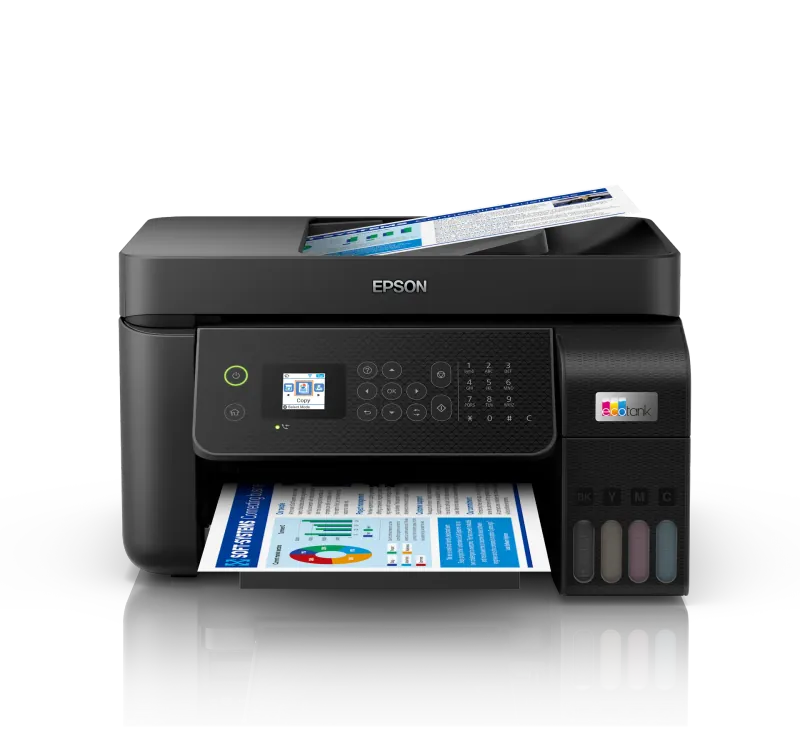

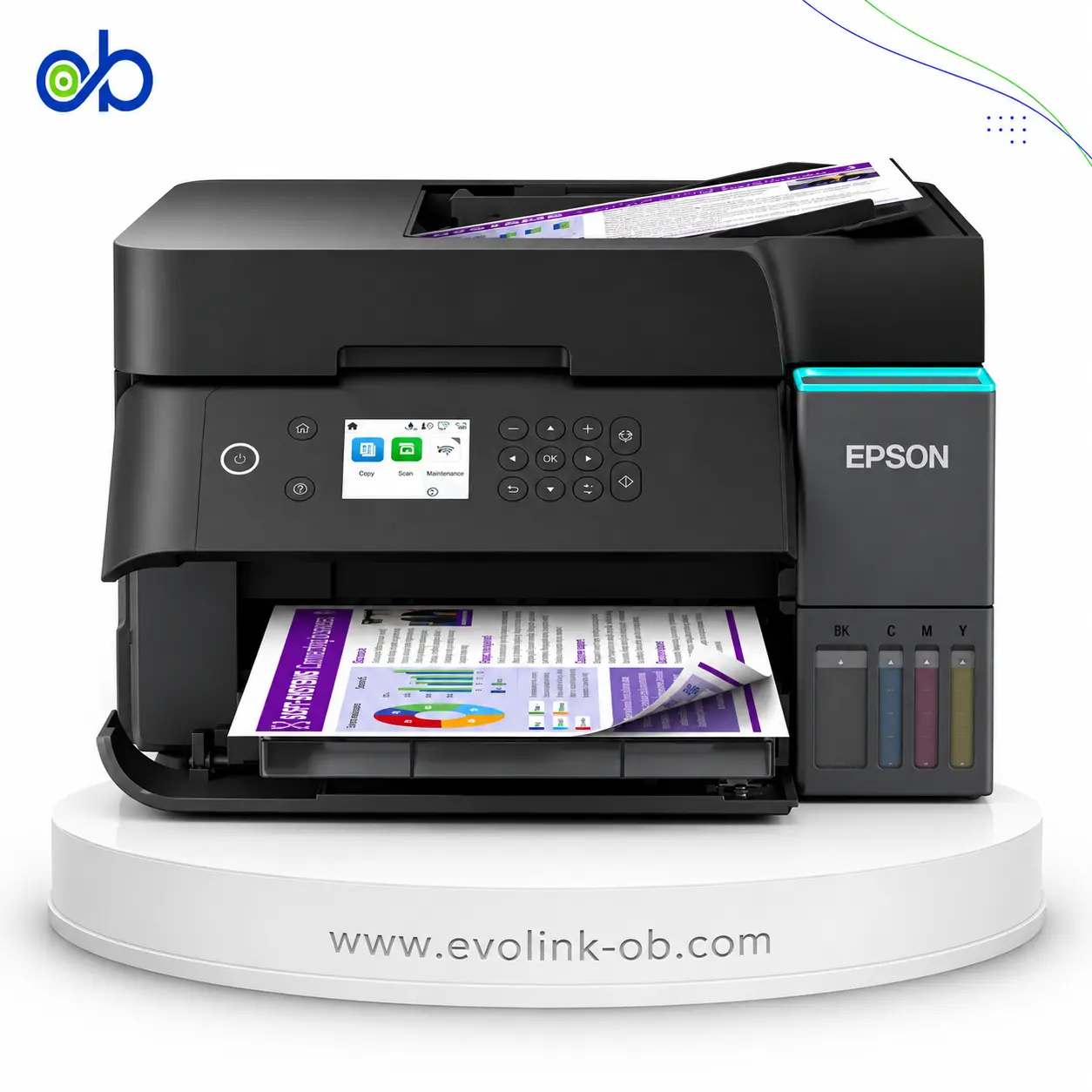
Epson EcoTank L5290 Printer
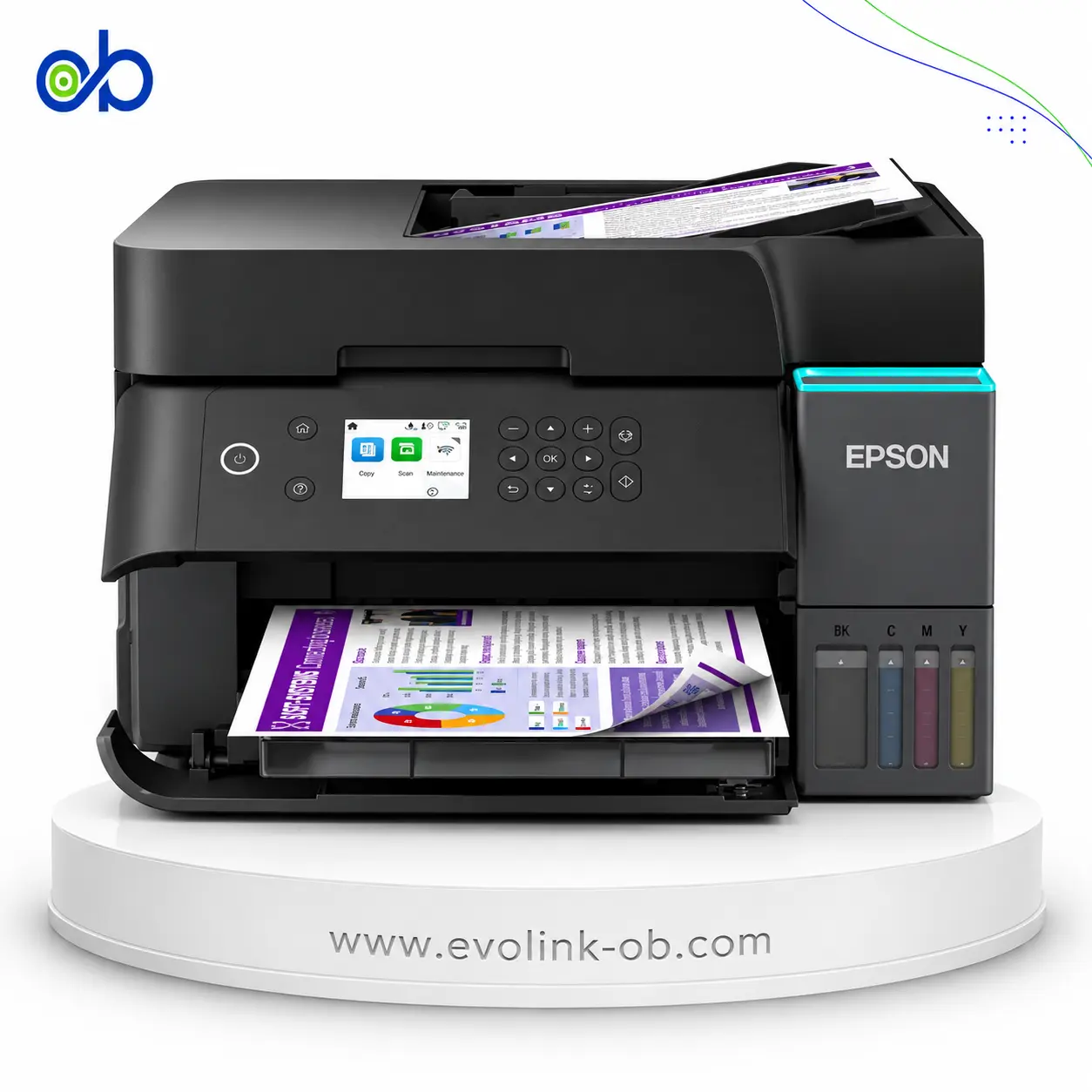
An A4 color ink tank multifunction printer for printing, copying, scanning and faxing, with ISO speeds up to 10 ppm black and 5 ppm color, Wi-Fi Direct, Ethernet and a 30-sheet ADF.
Features
- Printer Functions
- Print, Scan, Copy, Fax
- LCD Display
- 1.44-inch / 3.7 cm color LCD
- Control Panel
- 1.44-inch / 3.7 cm colour LCD
- Quiet Mode
- Yes
Printer Specifications
- تقنية الطباعة
- Epson Micro Piezo print head
Printing
- Print Colors
- 4
- Ink System
- Black, Cyan, Magenta, Yellow
- Maximum Print Resolution
- 5760 × 1440dpi
- Duplex Printing
- Manual
- Borderless Printing
- Up to 10 × 15 cm
- Paper size
- A4, Letter, Legal, A5, A6, B5, B6, Photo, envelopes
Ink
- Ink Technology
- Dye Ink
- Included Black Ink Yield
- 8100pages
- Included Color Ink Yield
- 6500pages
- Standard Black Ink Bottle
- Epson 103
- Standard Colour Ink Bottles
- Epson 103
- Replacement Black Ink Bottle Yield
- 4500pages
Performance
- Print Speed Black
- 33ppm
- Maximum Print Speed Color
- 15ppm
- ISO Print Speed Black
- 10ppm
- ISO Print Speed Color
- 5ppm
- 10×15 cm Photo Print Speed
- 27sec
Print Head
- Black Nozzles
- 180
- Nozzles Per Color
- 59
- Minimum Droplet Size
- 3pl
Copy
- ISO Copy Speed Black
- 7.7ppm
- ISO Copy Speed Color
- 3.8ppm
- Copy Resolution
- 600 × 600dpi
- Maximum Copies
- 99copies
- Copy Zoom
- 25-400%
- Maximum Copy Size
- Legal
Scanning
- Scanner Type
- Flatbed with ADF
- Optical Scan Resolution
- 1200 × 2400dpi
- Maximum Scan Area
- Glass 21.6×29.7 cm (A4); ADF up to Legalcm
- Scan Output Formats
- BMP, JPEG, PICT, TIFF, PDF, PNG
- Flatbed Scan Speed
- Black: 12; Colour: 29sec
- Scanner Sensor Type
- CIS
- Scanner Colour Bit Depth
- 48-bit input, 24-bit outputbit
- Scanner Grayscale Bit Depth
- 16-bit input, 8-bit outputbit
- Scanner Black and White Bit Depth
- 16-bit input, 1-bit outputbit
- ADF Monochrome Scan Speed
- 4.5ipm
- ADF Colour Scan Speed
- 4.5ipm
- Colour Scanning
- Yes
- Monochrome Scanning
- Yes
Connectivity
- Wireless Connectivity
- Yes
- Wi-Fi Direct
- Yes
- Mobile Printing Services
- Apple AirPrint, Epson Connect (iPrint, Email Print, Remote Print Driver), Epson Smart Panel App
- Interfaces
- Hi-Speed USB 2.0, Ethernet, Wi-Fi, Wi-Fi Direct
- Network Protocols
- IPv4, IPv6
- Ethernet Connectivity
- Yes
- Supported OS
- Windows , Mac OS
- Email Print
- Yes
- Network Management Tools
- SNMP, HTTP, DHCP, BOOTP, APIPA, PING, DDNS, mDNS, SLP, WSD, LLTD
Compatibility
- Chromebook Native Print
- Yes
Paper Handling
- Paper Input Capacity
- 100sheets
- Paper Output Capacity
- 30sheets
- Paper Trays
- 1tray
- Supported Paper Weight
- 64–300g/m²
- Automatic Document Feeder Capacity
- 30sheets
- Rear Paper Feed
- Yes
- Photo Paper Capacity
- 20sheets
- ADF Supported Paper Weight
- 64–95g/m²
- Premium Glossy Photo Paper Output Capacity
- 20sheets
- Maximum Custom Paper Length
- 1200mm
- Standard Paper Tray Capacity
- 100sheets
Dimensions
- Width
- 375mm
- Depth
- 347mm
- Height
- 237mm
Physical
- Weight
- 5kg
Power
- Supply Voltage
- 220–240V
- Frequency
- 50-60Hz
- Ready Mode Power
- 4.5W
- Sleep Mode Power
- 0.7W
- Power Off Consumption
- 0.2W
- Copying Power Consumption
- 12W
Fax
- Fax Transmission Speed
- Up to 33.6 kbps, approximately 3 seconds per pagekbps
- Fax Memory
- Up to 100 pages (ITU-T No. 1 chart)pages
- Fax Speed Dials
- Up to 100 names and numbers
- Fax Type
- Walk-up black-and-white and colour fax
- Fax Error Correction Mode
- CCITU/ITU Group 3 fax with Error Correction Mode
- Fax Resolution
- Up to 200 × 200dpi
- Fax Features
- PC Fax, Auto Redial, Address Book, Delay Send, Broadcast Fax, Polling Reception
Printer
- Printer Category
- Home, Office Desktop
- Printer Language
- ESC/P-R
- Product SKU
- C11CJ65403
Software
- Desktop Printing and Scanning Software
- Epson ScanSmart



Compare with other products




Frequently asked questions about Epson EcoTank L5290 Printer
What are the main functions of the Epson EcoTank L5290?
The Epson EcoTank L5290 combines printing, scanning, copying and faxing in one device. It also includes a 30-sheet automatic document feeder, making it easier to process multi-page documents without placing each sheet on the scanner manually.
Who is the Epson EcoTank L5290 suitable for?
It is suitable for home offices, small businesses, retail workspaces and students who need regular document printing, scanning, copying and faxing. Its wireless and Ethernet connectivity also make it practical for shared use by several devices.
What print resolution and speed does the Epson EcoTank L5290 offer?
The printer supports a maximum resolution of 5760 × 1440 dpi for clear text and detailed colour output. Maximum print speeds reach 33 ppm in black and 15 ppm in colour, while ISO speeds are rated at 10 ppm and 5 ppm respectively.
Can the Epson EcoTank L5290 print from phones and network devices?
Yes. It supports Wi-Fi, Wi-Fi Direct, Ethernet and USB 2.0, along with Epson Smart Panel, Epson iPrint, Apple AirPrint and Mopria Print Service. These options allow users to print from compatible mobile devices and network-connected computers.
Is the Epson EcoTank L5290 suitable for users in Syria?
Yes, it can suit homes and small offices in Syria, including Damascus, Aleppo, Homs and Latakia. It is particularly useful for users who need an ink tank printer with fax, a 30-sheet ADF, wireless printing and Ethernet connectivity.
Is Epson L5290 an inkjet or laser printer?
It is an inkjet printer using {"ar":"Epson Micro Piezo print head","en":"Epson Micro Piezo print head"} based on the listed specifications.
Does Epson L5290 print duplex automatically?
No, Epson L5290 does not print duplex automatically; it supports manual duplex only.
Can you print from a mobile phone?
Yes, you can print from a mobile phone to Epson L5290 via {"ar":"Apple AirPrint, Epson Connect (iPrint, Email Print, Remote Print Driver), Epson Smart Panel App","en":"Apple AirPrint, Epson Connect (iPrint, Email Print, Remote Print Driver), Epson Smart Panel App"} and Wi-Fi according to the specifications.