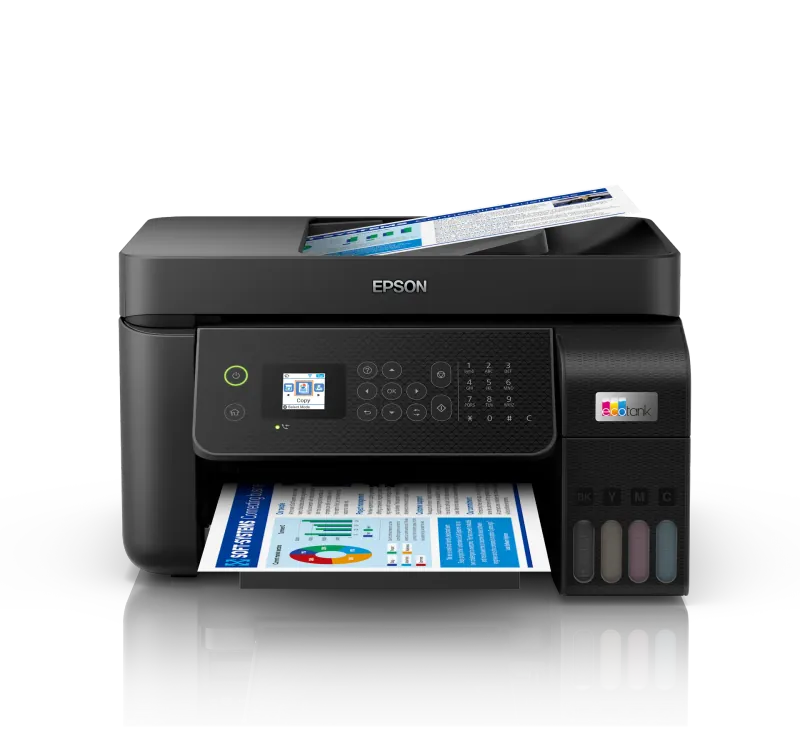
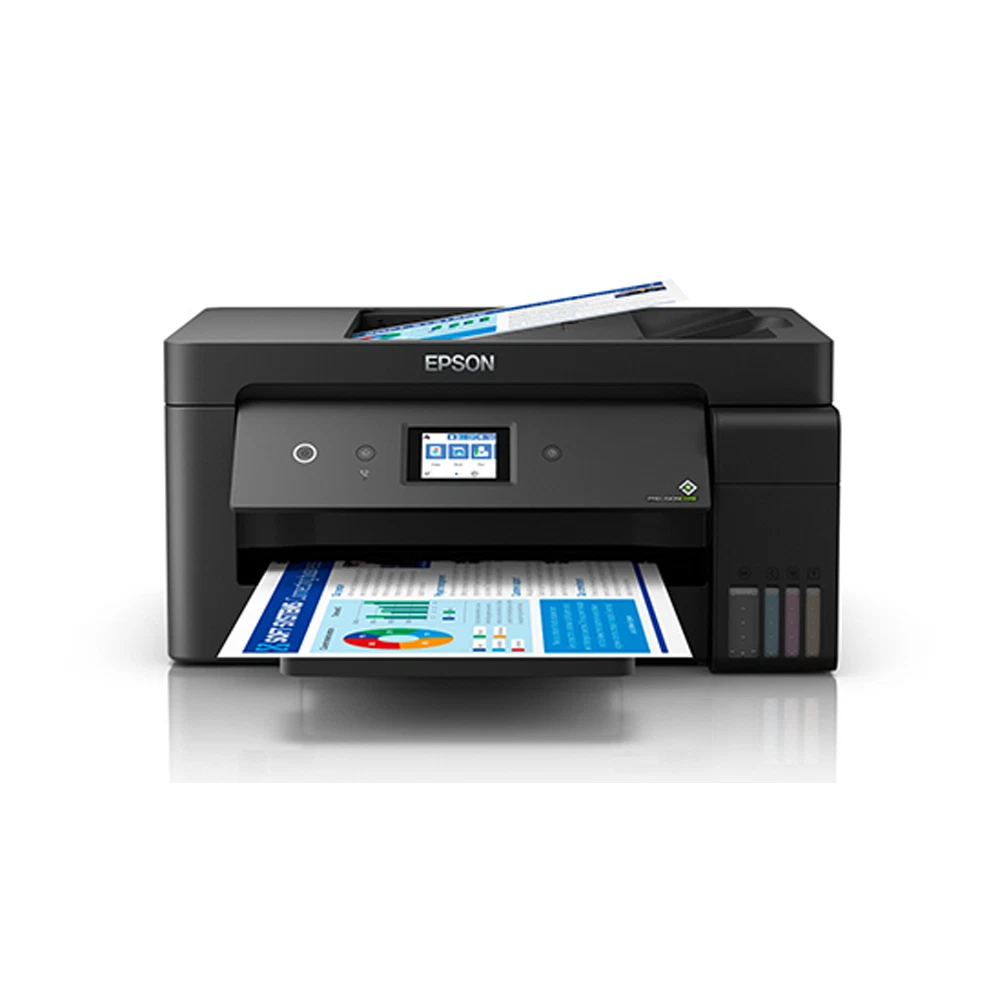
Epson EcoTank L6178 Printer
A colour ink tank multifunction printer for printing, copying, and scanning, with automatic duplex printing, a…
Not for sale
A full side-by-side comparison of reference model EcoTank L6178 Printer and in-stock product PIXMA G3416 All-in-One Ink Tank Printer on specs, price, and Syria availability.
A colour ink tank multifunction printer for printing, copying, and scanning, with automatic duplex printing, a…
Not for sale

A 3-in-1 colour ink tank printer for printing, copying and scanning, with Wi-Fi and mobile printing support, u…
$135.00
in stock
| Specification | Epson EcoTank L6178 Printer | Canon PIXMA G3416 All-in-One Ink Tank Printer |
|---|---|---|
| Price | Not for sale | $135.00 |
| Features | ||
| Printer Functions | Print, Scan, Copy | Print, Scan, Copy |
| LCD Display | 2.4-inch / 6.1 cm color LCD | LCD (1.2 inch segment mono) |
| Control Panel | 2.4-inch (6.1 cm) color LCD | 1.2-inch mono segment LCD |
| Quiet Mode | Yes | — |
| Printer Specifications | ||
| تقنية الطباعة | Epson Micro Piezo | Canon FINE |
| Printing | ||
| Print Colors | 4 | 4 |
| Ink System | Black, Cyan, Magenta, Yellow | Black, Cyan, Magenta, Yellow |
| Maximum Print Resolution | 4800 x 1200 dpi | 4800 x 1200 dpi |
| Duplex Printing | Automatic | Manual |
| Borderless Printing | Yes | Up to A4 |
| Paper size | Legal | ِA4 |
| Print Margins | 0 on top, left, right and bottom; custom setting except on plain paper mm | — |
| Ink | ||
| Ink Technology | Pigment Black + Dye Colour | Pigment Black + Dye Colour |
| Included Black Ink Yield | — | 6000 pages |
| Included Color Ink Yield | — | 7000 pages |
| Standard Black Ink Bottle | Epson 002 Black | GI-490 PGBK |
| Standard Colour Ink Bottles | Epson 002 Cyan, Epson 002 Magenta, Epson 002 Yellow | GI-490 C, GI-490 M, GI-490 Y |
| Replacement Black Ink Bottle Yield | 7500 pages | 6000 pages |
| Performance | ||
| Print Speed Black | 33 ppm | 8.8 ppm |
| Maximum Print Speed Color | 20 ppm | 5 ppm |
| ISO Print Speed Black | 15 ppm | 8.8 ppm |
| ISO Print Speed Color | 8 ppm | 5 ppm |
| 10×15 cm Photo Print Speed | 69 sec | 60 sec |
| First Page Out Time (Black) | 9 sec | — |
| ISO Duplex Print Speed Black | 6.5 ppm | — |
| ISO Duplex Print Speed Color | 4.5 ppm | — |
| Print Head | ||
| Black Nozzles | 400 | — |
| Nozzles Per Color | 128 | — |
| Minimum Droplet Size | 3.3 pl | — |
| Copy | ||
| ISO Copy Speed Black | 11 ppm | 3.5 ppm |
| ISO Copy Speed Color | 5.5 ppm | 3.5 ppm |
| Copy Resolution | 600 x 1200 dpi | — |
| Maximum Copies | 99 copies | 20 copies |
| Copy Zoom | 25-400 | Actual size |
| Maximum Copy Size | A4, Letter | — |
| N-in-1 Copy | 2-up | — |
| Copy Features | color or monochrome copying, Standard or Best quality, Auto Fit and 25%-400% zoom | Document copying (plain paper) |
| Scanning | ||
| Scanner Type | Flatbed color image scanner | CIS flatbed photo and document scanner |
| Optical Scan Resolution | 1200 dpi | 600 x 1200 dpi |
| Maximum Scan Area | 21.6 x 29.7 cm | 21.6 × 29.7 cm |
| Scan Output Formats | BMP, JPEG, TIFF, PDF | — |
| Flatbed Scan Speed | Black: 12; Colour: 27 sec | 19 sec |
| Scan-to Features | Scan to Cloud, Scan to computer using Epson ScanSmart | — |
| Scanner Sensor Type | CIS | CIS |
| Scanner Colour Bit Depth | 48: input : 24- output bit | 48: input : 24- output bit |
| Scanner Grayscale Bit Depth | 16- input/8- output bit | 16 bit input / 8 bit output bit |
| Scanner Black and White Bit Depth | 16- input/1- output bit | — |
| ADF Monochrome Scan Speed | 5 ipm | — |
| ADF Colour Scan Speed | 5 ipm | — |
| Colour Scanning | Yes | — |
| Monochrome Scanning | Yes | — |
| Scanner Compatibility | TWAIN, WIA, ICA | — |
| Maximum Scan Resolution | 9600 interpolated dpi | 600 × 1200 dpi |
| Hardware Scan Resolution | 1200 x 2400 dpi | 600 × 1200 dpi |
| Connectivity | ||
| Wireless Connectivity | Yes | Yes |
| Wi-Fi Direct | Yes | — |
| Mobile Printing Services | AirPrint, Google Cloud Print, Mopria, Epson Email Print, Epson iPrint Mobile App, Scan to Cloud, Remote Print Driver | PIXMA Cloud Link (from smartphone or tablet); Canon PRINT Inkjet/SELPHY app; Mopria (Android); Google Cloud Print; Access Point Mode |
| Interfaces | Hi-Speed USB 2.0, Ethernet 100BASE-TX/10BASE-T, Wi-Fi IEEE 802.11b/g/n, Wi-Fi Direct | Hi-Speed USB (B Port); Wi-Fi: IEEE802.11 b/g/n |
| Network Protocols | IPP, LPD, PORT9100, TCP/IPv4, TCP/IPv6, WSD | IEEE 802.11b/g/n |
| WLAN Security | — | WPA-PSK, WPA2-PSK, WEP, Administration password |
| Ethernet Connectivity | Yes | — |
| Supported OS | Windows XP SP3; Windows XP Professional x64 Edition SP2; Windows Vista; Windows 7; Windows 8; Windows 8.1; Windows 10 (32-bit and 64-bit); Windows Server 2003, 2003 x64 Edition, 2003 R2, 2003 R2 x64 Edition, 2008, 2008 R2, 2012, 2012 R2 and 2016; Mac OS X 10.6.8 through 10.12.x; UOS | Windows 10, Windows 8.1, Windows 7 SP1 |
| Email Print | Yes | — |
| Network Management Tools | APIPA, BOOTP, DDNS, DHCP, HTTP, LLTD, mDNS, PING, SLP, SNMP, WSD | — |
| Wireless Frequency Bands | 2.4 GHz | 2.4 GHz GHz |
| Wireless Standards | IEEE 802.11b/g/n (Wi-Fi 4) | IEEE802.11 b/g/n |
| Compatibility | ||
| Chromebook Native Print | Yes | — |
| Paper Handling | ||
| Paper Input Capacity | 150 sheets | 100 sheets |
| Paper Output Capacity | 30 sheets | — |
| Paper Trays | 1 | — |
| Supported Paper Weight | 64-250 g/m² | Plain paper: 64 - 105; Canon photo paper: up to 275 g/m² |
| Automatic Document Feeder Capacity | 30 sheets | — |
| Rear Paper Feed | — | Yes |
| Photo Paper Capacity | 20 sheets | — |
| Standard Tray Media Types | Plain paper, Epson Premium Glossy Photo Paper (Premium Glossy Photo Paper), envelopes, postcards | Plain, high-resolution, glossy/semi-gloss/matte photo paper, envelopes |
| ADF Supported Paper Weight | 64-95 g/m² | — |
| Premium Glossy Photo Paper Output Capacity | 20 sheets | — |
| Maximum Custom Paper Length | 1200 mm | — |
| Standard Paper Tray Capacity | 150 sheets | 100 sheets |
| ADF Paper Size Range | A4/LTR: 30 sheets; 8.5x13/Legal: 10 sheets mm | — |
| Dimensions | ||
| Width | 375 mm | 445 mm |
| Depth | 347 mm | 330 mm |
| Height | 231 mm | 163 mm |
| Physical | ||
| Weight | 6.7 kg | 6.3 kg |
| Printer Colour | — | Black |
| Power | ||
| Supply Voltage | 220-240 V | 100–240 V |
| Frequency | 50-60 Hz | 50-60 Hz |
| Ready Mode Power | 5.3 W | 1.2 W |
| Sleep Mode Power | 0.9 W | 1.2 W |
| Power Off Consumption | 0.3 W | 0.2 W |
| Standalone Copying Power Consumption | 12 W | 11 W |
| ENERGY STAR Support | Yes | — |
| Copying Power Consumption | 12 W | 11 W |
| Maintenance | ||
| Replaceable Maintenance Box | Yes | — |
| Printer | ||
| Printer Category | A4 color business multifunction all-in-one printer | — |
| Printer Language | ESC/P-R | — |
| Software | ||
| Desktop Printing and Scanning Software | Epson ScanSmart | Canon PRINT |
| Environment | ||
| Operating Temperature | 10-35 °C | 5–35 °C |
| Operating Humidity | 20-80 % | 10–90 % |
| Storage Temperature | -20-40 °C | — |
| Storage Humidity | 5-85 % | — |
| Noise | ||
| Printing Sound Pressure | 52 dB(A) | 53.5 dB(A) |
Overall, choosing between EcoTank L6178 Printer and PIXMA G3416 All-in-One Ink Tank Printer depends on your use case and which specs matter most. They share Printer Functions (Print, Scan, Copy) and Print Colors (4). They differ mainly on LCD Display. The store product is currently priced at $135.00, with delivery subject to confirmation.
EcoTank L6178 Printer and PIXMA G3416 All-in-One Ink Tank Printer share specifications such as Printer Functions (Print, Scan, Copy), Print Colors (4), Ink System (Black, Cyan, Magenta, Yellow), Maximum Print Resolution (4800 x 1200 dpi).
The main differences: LCD Display (EcoTank L6178 Printer: 2.4-inch / 6.1 cm color LCD, PIXMA G3416 All-in-One Ink Tank Printer: LCD (1.2 inch segment mono)); Control Panel (EcoTank L6178 Printer: 2.4-inch (6.1 cm) color LCD, PIXMA G3416 All-in-One Ink Tank Printer: 1.2-inch mono segment LCD); Quiet Mode (EcoTank L6178 Printer: Yes, PIXMA G3416 All-in-One Ink Tank Printer: —); تقنية الطباعة (EcoTank L6178 Printer: Epson Micro Piezo, PIXMA G3416 All-in-One Ink Tank Printer: Canon FINE).
EcoTank L6178 Printer may suit users who need its differing values, while PIXMA G3416 All-in-One Ink Tank Printer benefits those who need its paired strengths. Review the specs table above before deciding.
The main practical differences are: LCD Display: EcoTank L6178 Printer (2.4-inch / 6.1 cm color LCD) vs PIXMA G3416 All-in-One Ink Tank Printer (LCD (1.2 inch segment mono)); Control Panel: EcoTank L6178 Printer (2.4-inch (6.1 cm) color LCD) vs PIXMA G3416 All-in-One Ink Tank Printer (1.2-inch mono segment LCD); Quiet Mode: EcoTank L6178 Printer (Yes) vs PIXMA G3416 All-in-One Ink Tank Printer (—); تقنية الطباعة: EcoTank L6178 Printer (Epson Micro Piezo) vs PIXMA G3416 All-in-One Ink Tank Printer (Canon FINE). Check the table above for details.
EcoTank L6178 Printer is a reference model for comparison and is not for sale. The purchasable store product is PIXMA G3416 All-in-One Ink Tank Printer at $135.00, and it is currently in stock.
Yes as an available purchase option: it shares Printer Functions (Print, Scan, Copy), Print Colors (4), Ink System (Black, Cyan, Magenta, Yellow) with EcoTank L6178 Printer. Review the differences in the table before ordering.
Yes, they share Printer Functions (Print, Scan, Copy), Print Colors (4), Ink System (Black, Cyan, Magenta, Yellow).
Yes through EvoLink in Syria. PIXMA G3416 All-in-One Ink Tank Printer is currently in stock at $135.00. Orders are handled from our store in Damascus – Al-Halbouni. Delivery availability, fees, and timing are confirmed based on governorate, weight, and stock before dispatch. EcoTank L6178 Printer is for comparison only and is not for sale.