
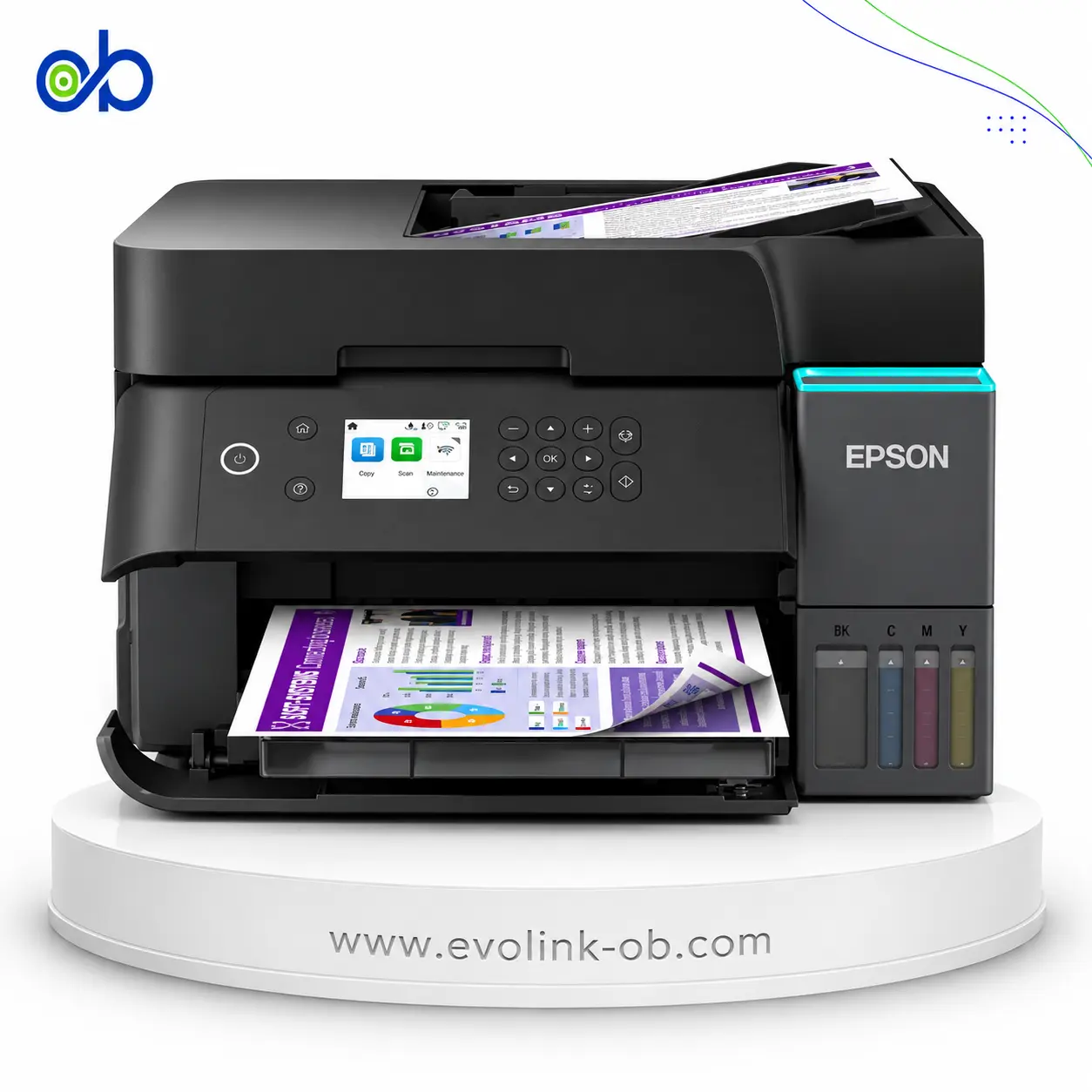
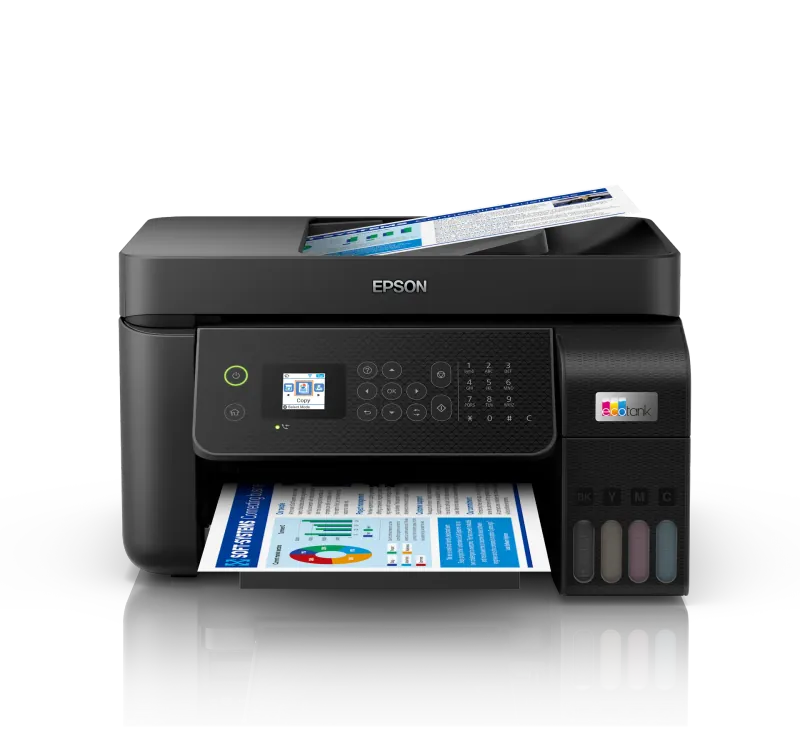
Epson EcoTank L6390 Printer
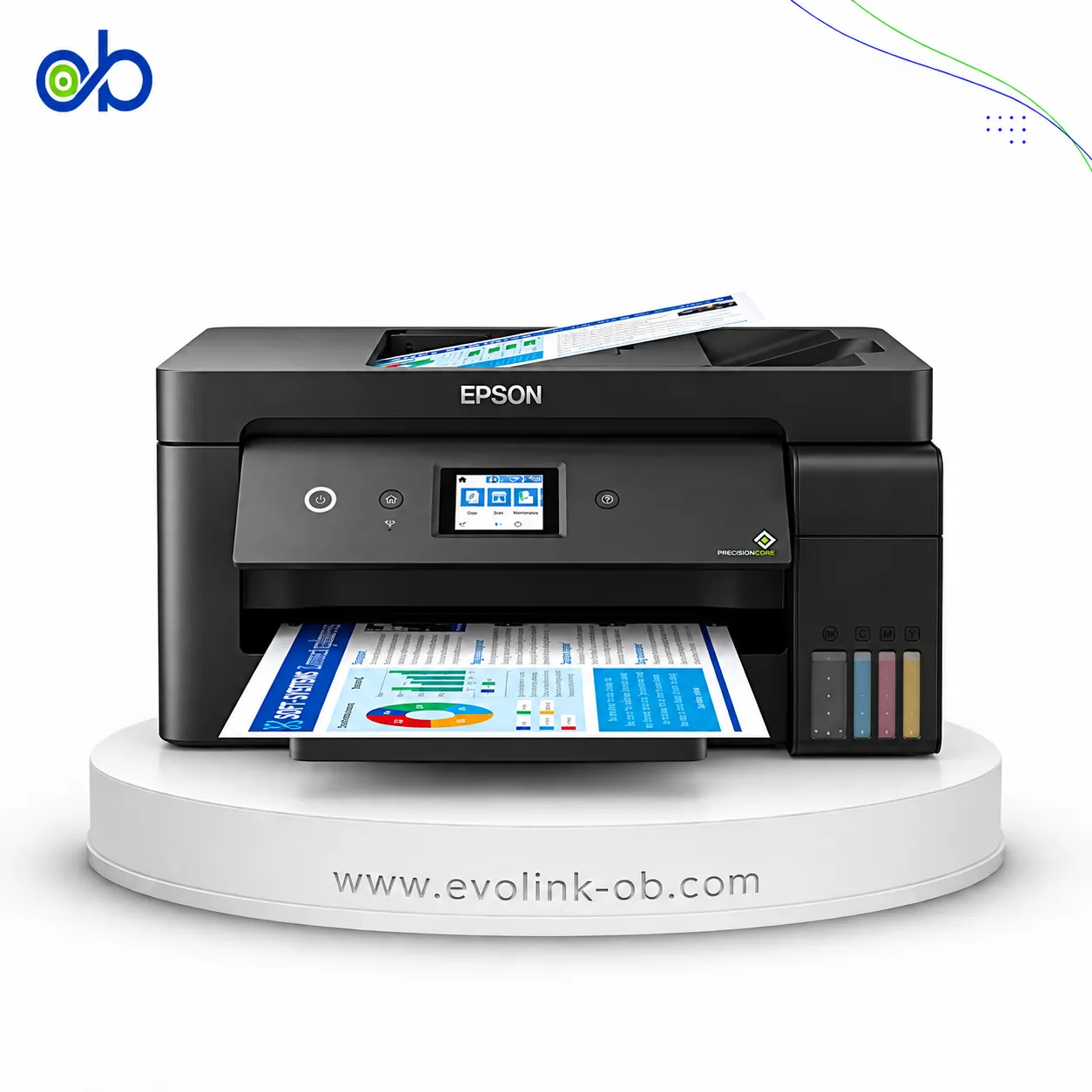
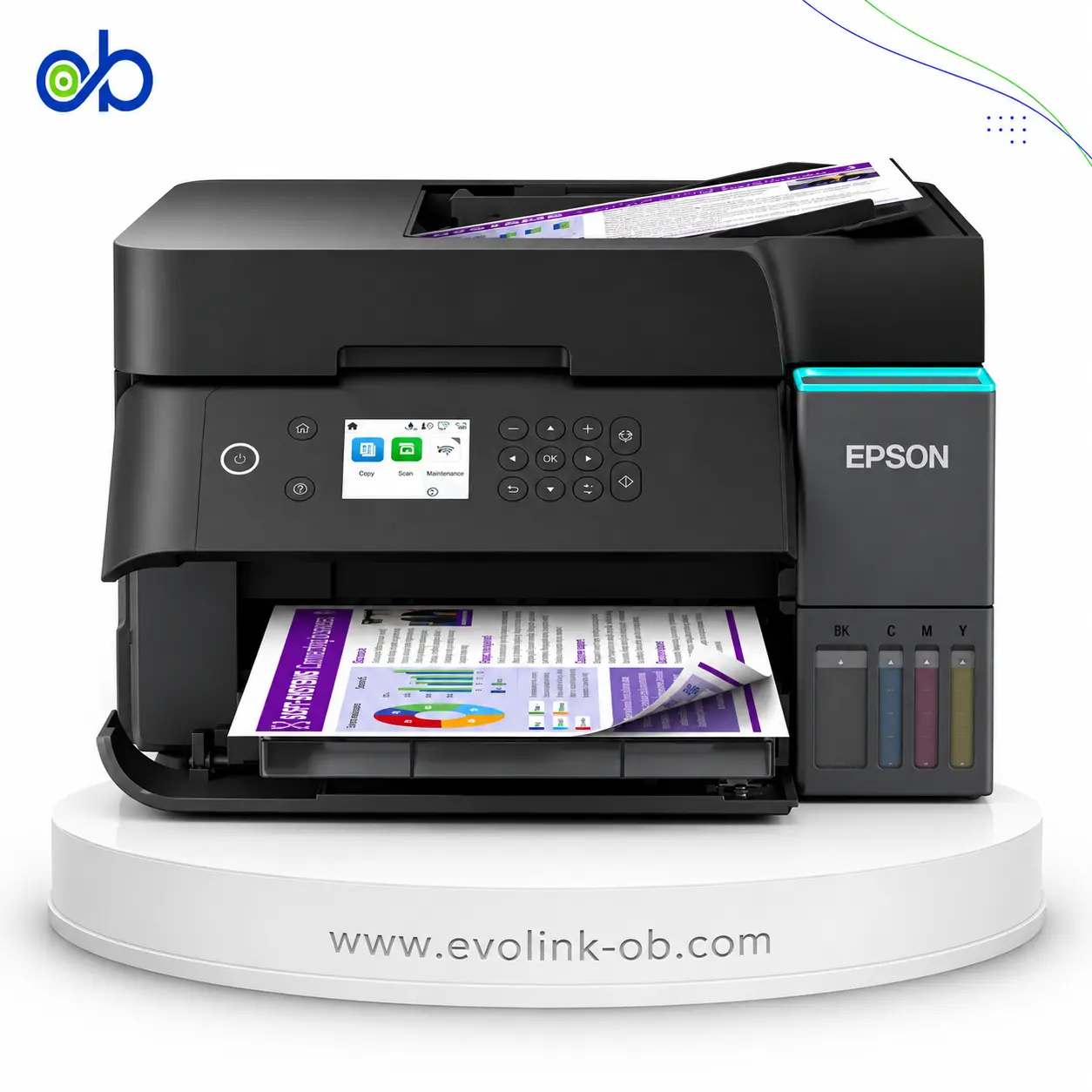
An A4 color ink tank multifunction printer for printing, copying, scanning and faxing, with ISO speeds up to 18 ppm black and 9 ppm color, automatic duplex, Wi-Fi Direct, Ethernet and a 30-sheet ADF.
Features
- Printer Functions
- Print, Scan, Copy, Fax
- LCD Display
- 2.4" Colour LCD Touch Screen
- Control Panel
- 6.1 cm colour display
- Quiet Mode
- Yes
Printer Specifications
- تقنية الطباعة
- Epson PrecisionCore print head
Printing
- Print Colors
- 4
- Ink System
- Black, Cyan, Magenta, Yellow
- Maximum Print Resolution
- 4800 x 1200dpi
- Duplex Printing
- Automatic (A4, plain paper)
- Borderless Printing
- Up to A4
- Paper size
- A4, A5, A6, Letter, B5, B6, 10×15 cm, 13×18 cm, C6/DL/No.10 envelopes
Ink
- Ink Technology
- Pigment Black + Dye Colour
- Included Black Ink Yield
- 15100pages
- Included Color Ink Yield
- 5500pages
- Standard Black Ink Bottle
- 001 (SG) / 101 (EU)
- Standard Colour Ink Bottles
- 001 (SG) / 101 (EU)
- Replacement Black Ink Bottle Yield
- 8500pages
Performance
- Print Speed Black
- 35ppm
- Maximum Print Speed Color
- 23ppm
- ISO Print Speed Black
- 18ppm
- ISO Print Speed Color
- 9ppm
- 10×15 cm Photo Print Speed
- 50sec
- First Page Out Time (Black)
- 8.5sec
- First Page Out Time (Color)
- 13.5sec
- ISO Duplex Print Speed Black
- 7ppm
- ISO Duplex Print Speed Color
- 5ppm
Print Head
- Black Nozzles
- 400
- Nozzles Per Color
- 128
- Minimum Droplet Size
- 3.3pl
Copy
- ISO Copy Speed Black
- 11.5ppm
- ISO Copy Speed Color
- 5.7ppm
- Copy Resolution
- 600 × 600dpi
- Maximum Copies
- 99copies
- Copy Zoom
- 25-400%
Scanning
- Scanner Type
- Flatbed CIS with ADF
- Optical Scan Resolution
- 1200 × 2400dpi
- Maximum Scan Area
- 21.6 × 29.7 (flatbed)cm
- Duplex Scanning
- Yes
- Scan Output Formats
- BMP, JPEG, TIFF, PDF, PNG
- Flatbed Scan Speed
- Black: 9 sec; Colour: 21 secsec
- Scanner Sensor Type
- CIS
- Scanner Colour Bit Depth
- 48-bit input, 24-bit outputbit
- Scanner Grayscale Bit Depth
- 16-bit input, 8-bit outputbit
- Scanner Black and White Bit Depth
- 16-bit input, 1-bit outputbit
- ADF Monochrome Scan Speed
- 5ipm (simplex)
- ADF Colour Scan Speed
- 5ipm (simplex)
- Colour Scanning
- Yes
- Monochrome Scanning
- Yes
Connectivity
- Wireless Connectivity
- Yes
- Wi-Fi Direct
- Yes
- Mobile Printing Services
- Epson Connect (Epson Smart Panel, Epson Email Print, Remote Print Driver, Scan to Cloud), Apple AirPrint, Mopria Print Service, Chrome OS
- Interfaces
- Hi-Speed USB 2.0, Ethernet, Wi-Fi, Wi-Fi Direct
- Network Protocols
- TCP/IPv4, TCP/IPv6
- WLAN Security
- WEP 64/128-bit, WPA-PSK (TKIP), WPA2-PSK (AES), WPA3-SAE (AES)
- Ethernet Connectivity
- Yes
- Supported OS
- Windows 7/8/8.1/10/11, Windows Server 2008–2022, Mac OS X 10.9.5 or later
- Email Print
- Yes
- Wireless Frequency Bands
- 2.4 GHz confirmed; 5 GHz on EU SKUGHz
- Wireless Standards
- EU IEEE 802.11a/b/g/n/ac; SG/some ME IEEE 802.11b/g/n
Compatibility
- Chromebook Native Print
- Yes
Paper Handling
- Paper Input Capacity
- 250sheets
- Paper Output Capacity
- 30sheets
- Paper Trays
- 1tray
- Supported Paper Weight
- 64–300g/m²
- Automatic Document Feeder Capacity
- 30sheets
- Photo Paper Capacity
- 20sheets
- ADF Supported Paper Weight
- 64–95g/m²
- Standard Paper Tray Capacity
- 250sheets
Dimensions
- Width
- 375mm
- Depth
- 347mm
- Height
- 240mm
Physical
- Weight
- 7.3kg
- Printer Colour
- Black
Power
- Supply Voltage
- 220–240V
- Frequency
- 50-60Hz
- Ready Mode Power
- 7.4W
- Sleep Mode Power
- 0.7W
- Power Off Consumption
- 0.1W
- Printing Power Consumption
- 15W
- Standalone Copying Power Consumption
- 15W
- Copying Power Consumption
- 15W
Maintenance
- Replaceable Maintenance Box
- Yes
Fax
- Fax Transmission Speed
- 33.6kbps
- Fax Memory
- 100pages
- Fax Speed Dials
- 100
- Fax Type
- Walk-up black and white and colour fax
- Fax Error Correction Mode
- ITU-T Group 3 with ECM
- Fax Resolution
- Up to 200 × 200dpi
- Fax Features
- PC Fax, Auto Redial, Address Book, Broadcast Fax, Fax Preview, Polling Reception
Printer
- Printer Language
- ESC/P-R
- Product SKU
- L6390
Software
- Desktop Printing and Scanning Software
- Epson ScanSmart


Compare with other products



Frequently asked questions about Epson EcoTank L6390 Printer
What are the main features of the Epson EcoTank L6390 Printer?
The Epson EcoTank L6390 combines printing, scanning, copying, and faxing in one device. It supports Wi-Fi, Wi-Fi Direct, Ethernet, automatic duplex printing, and a 2.4-inch color touchscreen for convenient everyday operation.
Who is the Epson EcoTank L6390 best suited for?
It is well suited for home offices, small businesses, and users who need reliable A4 printing along with scanning, copying, and fax capabilities. Multiple connectivity options also make it easy to share across different devices.
What print resolution does the Epson EcoTank L6390 offer?
The printer delivers a maximum print resolution of 4800 × 1200 dpi, helping produce sharp text and detailed graphics. This makes it suitable for everyday documents as well as high-quality color prints.
Can I print from mobile devices with the Epson EcoTank L6390?
Yes. The printer supports Epson Connect, Apple AirPrint, Mopria Print Service, and works with Windows, Mac OS, and Chromebook Native Print, making printing from compatible computers and mobile devices straightforward.
Is the Epson EcoTank L6390 suitable for users in Syria, including Damascus and Aleppo?
For users in Syria, including Damascus and Aleppo, the printer offers practical A4 printing, scanning, copying, faxing, and flexible wired and wireless connectivity, making it suitable for a wide range of office and home office tasks.