Thermal Printer Xprinter XP-Q851L
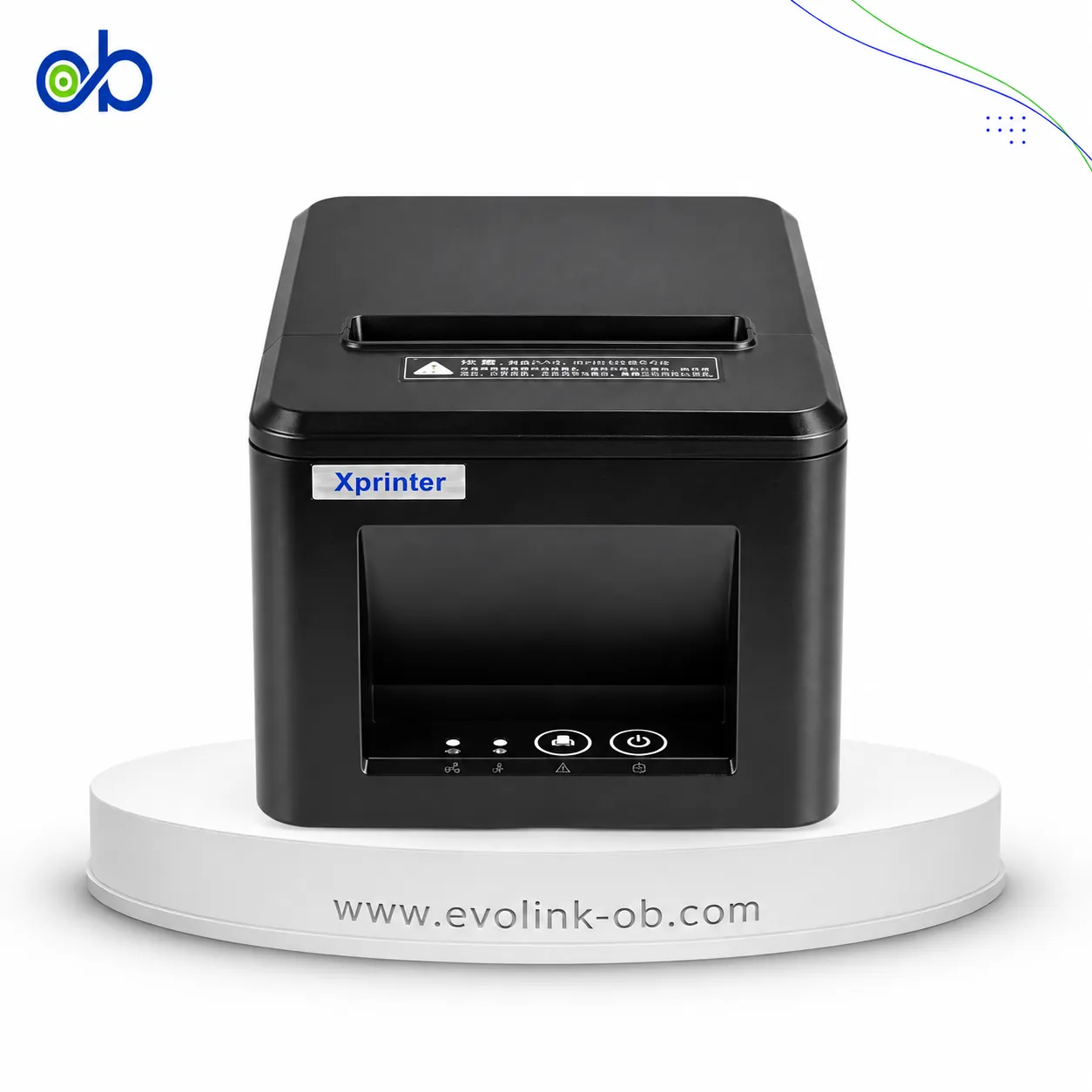
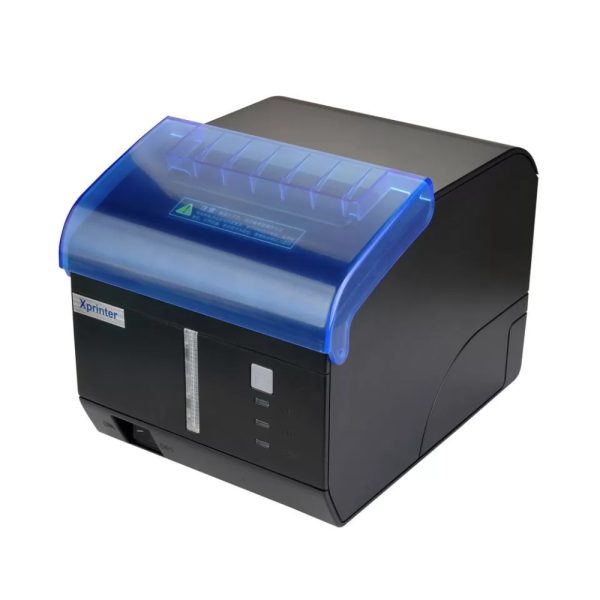
Xprinter XP-Q851L thermal receipt printer, 230 mm/s, 80 mm paper, USB, Ethernet and serial, optional Bluetooth…
Not for sale
A full side-by-side comparison of reference models Thermal Printer Xprinter XP-Q851L and Thermal Printer Xprinter XP-S200M within the same category.
Xprinter XP-Q851L thermal receipt printer, 230 mm/s, 80 mm paper, USB, Ethernet and serial, optional Bluetooth…
Not for sale

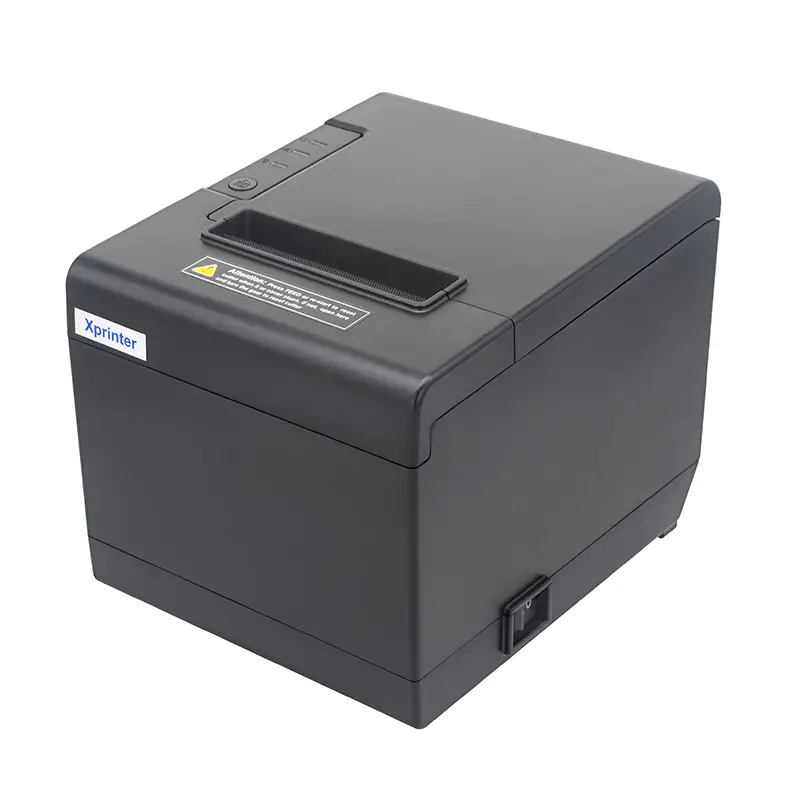
Xprinter XP-S200M thermal receipt printer, 200 mm/s, 203 dpi, 80 mm paper, USB with serial or Ethernet, QR Cod…
Not for sale
| Specification | Thermal Printer Xprinter XP-Q851L | Thermal Printer Xprinter XP-S200M |
|---|---|---|
| Price | Not for sale | Not for sale |
| Printer Specifications | ||
| تقنية الطباعة | Direct Thermal | Direct Thermal |
| Media Handling | ||
| Media Width | 79.5±0.5 mm | 79.5±0.5 mm |
| Maximum Paper Roll Diameter | 80 mm | 80 mm |
| Paper Thickness | — | 0.06–0.08 mm |
| Print Width | 72 mm | 72 mm |
| Printer Emulation | ESC/POS | ESC/POS |
| سرعة الطباعة | 230 mm/s | 200 mm/s |
| Print Resolution | — | 203 dpi |
| Input Buffer | 64 KB | — |
| Printing | ||
| Column Capacity | 576 dots/line or 512 dots/line | 576 dots/line |
| Line Spacing | 3.75 mm | 3.75 mm |
| Adjustable Line Spacing | Yes | Yes |
| Column Number | — | Font A: 42 or 48 columns; Font B: 56 or 64 columns; Chinese/Traditional Chinese: 21 or 24 columns |
| Memory | ||
| NV Flash Memory | 256 KB | 256 KB |
| Fonts | ||
| Font A Size | 1.5×3.0 mm (12×24 dots) | 1.5×3.0 mm (12×24 dots) |
| Font B Size | 1.1×2.1 mm (9×17 dots) | 1.1×2.1 mm (9×17 dots) |
| Chinese Font Size | 3.0×3.0 mm (24×24 dots) | 3.0×3.0 mm (24×24 dots) |
| Character Set | PC437 (Standard Europe), Katakana, PC850 (Multilingual), PC860 (Portuguese), PC863 (Canadian), PC865 (Nordic), West Europe, Greek, Hebrew, East Europe, Iran, WPC1252, PC866 (Cyrillic #2), PC852 (Latin 2), PC858, Iran II, Latvian, Arabic, PT151 (1251) | PC347, Katakana, PC850, PC860, PC863, PC865, West Europe, Greek, Hebrew, East Europe, Iran, WPC1252, PC866, PC852, PC858, Iran II, Latvian, Arabic, PT151 (1251) |
| Barcode Support | ||
| Supported 1D Barcodes | UPC-A, UPC-E, JAN13 (EAN13), JAN8 (EAN8), CODE39, ITF, CODABAR, CODE93, CODE128 | UPC-A, UPC-E, JAN13 (EAN13), JAN8 (EAN8), CODE39, ITF, CODABAR, CODE93, CODE128 |
| Supported 2D Barcodes | QR Code, PDF417 | QR Code, PDF417 |
| Power | ||
| Power Adapter Input | AC 100–240V, 50–60Hz | AC 100–240V, 50–60Hz |
| Power Adapter Output | — | DC 24V/2.5A |
| Printer Input | DC 24V/2.0A | DC 24V/2.5A |
| Cash Drawer Output | DC 24V/1A | DC 24V/1A |
| Physical | ||
| Dimensions | 176.86×144.5×136.3 mm (D×W×H) mm | 180×140×134.1 mm (D×W×H) mm |
| Weight | 1.12 kg | 0.97 kg |
| Body Material | ABS | ABS |
| Environment | ||
| Operating Temperature | 0–45 °C | 0–45 °C |
| Operating Humidity | 10–80 % | 10–80 % |
| Storage Temperature | -10–60 °C | -10–60 °C |
| Storage Humidity | 10–90 % | — |
| Reliability | ||
| Auto Cutter | Partial auto cutter | Partial auto cutter |
| Cutter Life | 1500000 cuts | 1500000 cuts |
| Printhead Life | 150 km | — |
| Intelligent Anti-paper-jam Cutter | Yes | — |
| Connectivity | ||
| Supported OS | Windows, Linux, macOS, Android | Windows, JPOS, OPOS, Linux, Android, macOS |
| Interface | USB, Ethernet, USB + Serial, USB + Ethernet; optional USB + Bluetooth or USB + Wi-Fi | USB + Serial or USB + Ethernet |
| SDK Support | — | iOS, Android, Windows |
| Certifications | ||
| Certifications | CCC, CB, CE, FCC, RoHS | — |
| Software | ||
| OPOS Support | Yes | Yes |
| Features | ||
| Error Alarm Support | Yes | — |
| Order Coming Alert | Yes | — |
| QR Code Printing | Yes | Yes |
| General | ||
| Model | XP-Q851L | XP-S200M |
| Warranty | ||
| Manufacturer Warranty | — | 12 months |
Overall, the technical lean favors Thermal Printer Xprinter XP-Q851L on سرعة الطباعة and Column Capacity. Thermal Printer Xprinter XP-S200M remains the better pick if your priority is Weight. They share تقنية الطباعة and Media Width. Review the choice points above, then confirm availability before buying.
Thermal Printer Xprinter XP-Q851L and Thermal Printer Xprinter XP-S200M share a close technical baseline, notably تقنية الطباعة, Media Width, Maximum Paper Roll Diameter.
The main decisive differences: سرعة الطباعة (Thermal Printer Xprinter XP-Q851L: 230 mm/s, Thermal Printer Xprinter XP-S200M: 200 mm/s); Column Capacity (Thermal Printer Xprinter XP-Q851L: 576 dots/line or 512 dots/line, Thermal Printer Xprinter XP-S200M: 576 dots/line); Character Set (Thermal Printer Xprinter XP-Q851L: PC437 (Standard Europe), Katakana, PC850 (Multilingual), PC860 (Portuguese), PC863 (Canadian), PC865 (Nordic), West Europe, Greek, Hebrew, East Europe, Iran, WPC1252, PC866 (Cyrillic #2), PC852 (Latin 2), PC858, Iran II, Latvian, Arabic, PT151 (1251), Thermal Printer Xprinter XP-S200M: PC347, Katakana, PC850, PC860, PC863, PC865, West Europe, Greek, Hebrew, East Europe, Iran, WPC1252, PC866, PC852, PC858, Iran II, Latvian, Arabic, PT151 (1251)); Weight (Thermal Printer Xprinter XP-Q851L: 1.12 kg, Thermal Printer Xprinter XP-S200M: 0.97 kg); Supported OS (Thermal Printer Xprinter XP-Q851L: Windows, Linux, macOS, Android, Thermal Printer Xprinter XP-S200M: Windows, JPOS, OPOS, Linux, Android, macOS).
In practice, Thermal Printer Xprinter XP-Q851L suits needs centered on سرعة الطباعة, while Thermal Printer Xprinter XP-S200M fits priorities around Weight. Review the specs table above before deciding.
Nearby alternatives currently available for Thermal Printer Xprinter XP-Q851L: Thermal Printer Xprinter Q80B - 80mm ($35.00) · Xprinter Q80A 80mm Thermal Receipt Printer – USB & Wifi ($55.00) · Xprinter XP-N160ii 80mm Thermal Receipt Printer – USB & Wifi ($80.00).
Nearby alternatives currently available for Thermal Printer Xprinter XP-S200M: Thermal Printer Xprinter XP-T58H ($28.00) · Xprinter XP-N160ii 80mm Thermal Receipt Printer – USB & Wifi ($80.00) · Xprinter XP-P810 - 80mm ($65.00).
Suitable alternatives to Thermal Printer Xprinter XP-Q851L and Thermal Printer Xprinter XP-S200M are available at EvoLink in Damascus, with shipping to all Syrian governorates.
Address: Syria, Damascus, Halbouni, Musalam Barudi street, Building 1020, 1st floor.
Contact: +963 96 44 007 44 or via WhatsApp.