P3015dn Monochrome Laser Printer
A monochrome laser printer designed for fast document printing at up to 40 ppm, with standard automatic duplex…
Not for sale
A full side-by-side comparison of reference models P3015dn Monochrome Laser Printer and M4345 Multifunction Laser Printer within the same category.
A monochrome laser printer designed for fast document printing at up to 40 ppm, with standard automatic duplex…
Not for sale
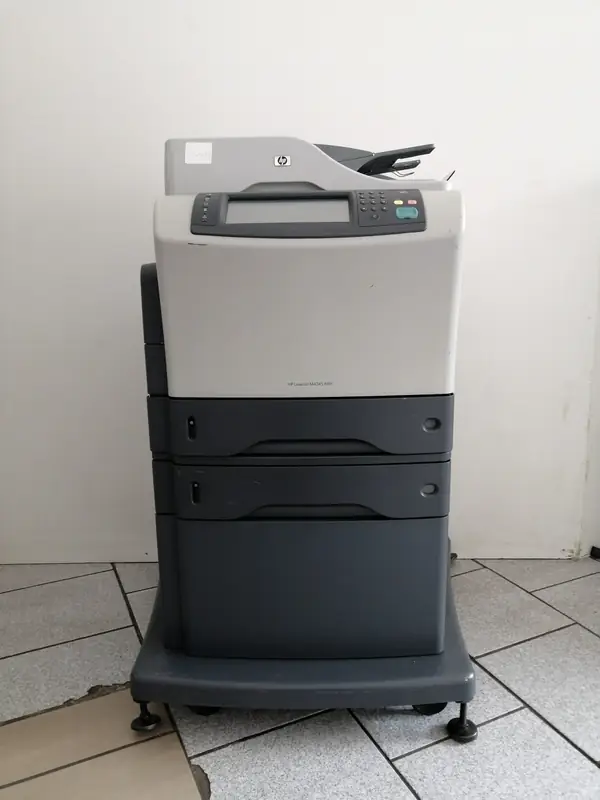
A monochrome laser multifunction printer combining print, copy, scan and digital sending, with up to 43 ppm A4…
Not for sale
| Specification | P3015dn Monochrome Laser Printer | M4345 Multifunction Laser Printer |
|---|---|---|
| Price | Not for sale | Not for sale |
| Features | ||
| Printer Functions | Print, Copy, Scan | |
| Technical Features | Hardware integration pocket; open EIO slot; two internal accessory ports; 10-key numeric keypad | — |
| Display | 2.25-inch, 4-line LCD text display | Touchscreen LCD (b&w graphics) |
| Control Panel | 4-line LCD display, 3 LED indicator lights (Ready, Data, Attention), 10 numeric keys, Information, Return, Stop/Cancel, OK, Toggle up/down | HP Easy Select Control Panel |
| Printer Specifications | ||
| تقنية الطباعة | Monochrome Laser | Monochrome Laser |
| Printing | ||
| Print Colour | Black | — |
| Print Resolution Technology | 300 dpi, 600 dpi, HP FastRes 1200, HP ProRes 1200 | — |
| Maximum Print Resolution | Up to 1200 x 1200 dpi | 1200 x 1200 dpi |
| Duplex Printing | Automatic | Optional |
| Direct Print Formats | PDF, PRN, PS | — |
| Performance | ||
| ISO Black Print Speed A4 | 40 ppm | 43 ppm |
| ISO Black Print Speed Letter | 42 ppm | 45 ppm |
| Recommended Monthly Volume | 1500-5000 pages | — |
| Maximum Monthly Duty Cycle | 100000 pages | 200000 pages |
| First Page Out from Sleep | As fast as 16 sec | — |
| First Print Out Time Black | 7.5 sec | — |
| Software | ||
| Printer Smart Software Features | Show-Me-How menu | — |
| Included Software | EVO Discrete PCL 6; Product-specific Universal Print Drivers Postscript | — |
| Printer Management Utility | HP Web Jetadmin; HP LaserJet Utility; HP Embedded Web Server; HP Easy Printer Care | — |
| Power | ||
| Energy Saving Technology | Instant-on Technology | — |
| Printing Power Consumption | 780 W | — |
| Ready Mode Power | 14.5 W | — |
| Sleep Mode Power | 3.94 W | — |
| Input Voltage | 100 to 127 VAC (+/- 10%), 50/60 Hz (+/- 2 Hz); 220 to 240 VAC (+/- 10%), 50/60 Hz (+/- 2 Hz) | 100 to 127 VAC (+/- 10%) or 220 to 240 VAC (+/- 10%) |
| Input Frequency | — | 50/60 Hz |
| Supplies | ||
| Replacement Toner Cartridge | HP 55A Black Original LaserJet Toner Cartridge (CE255A); HP 55X High Yield Black Original LaserJet Toner Cartridge (CE255X) | Q5945A |
| Replacement Toner Yield | CE255A: approximately 6,000 pages; CE255X: approximately 12,500 pages | 18000 pages |
| Starter Toner Yield | 6000 pages | — |
| Cartridge System | All-in-one Original HP print cartridge | — |
| Print Cartridge Count | 1 cartridge | 1 cartridge |
| Connectivity | ||
| Standard Connectivity | 1 Hi-Speed USB 2.0; 1 HP Jetdirect 10/100/1000T Ethernet embedded print server; 1 EIO; 1 front-panel Host USB 2.0; 2 internal accessory ports | — |
| Wireless Standards | 802.11b/g via optional HP wireless print server | — |
| Supported Network Protocols | IPv4/IPv6: Apple Bonjour Compatible, SNMPv1/v2c/v3, HTTP, HTTPS, FTP, TFTP, Port 9100, LPD, WS Discovery, IPP, Secure-IPP, IPsec/Firewall; IPv6: DHCPv6, MLDv1, ICMPv6; IPv4: Auto-IP, SLP, Telnet, IGMPv2, BOOTP/DHCP, WINS, IP Direct Mode, WS Print; Other: IPX/SPX, AppleTalk, NetWare NDS, Bindery, NDPS, iPrint | — |
| Ethernet Connectivity | Yes | — |
| Optional Connectivity | — | HP Jetdirect Print Servers and HP Secure High Performance Hard Disk Drives |
| Compatibility | ||
| Compatible Operating Systems | Windows 10; Windows 8 via HP Universal Print Driver; Windows 7; Windows Vista; Windows Vista x64; Windows 2000 SP4; Windows Server 2003; Windows Server 2008; Mac OS X 10.3.9, 10.4, 10.5, 10.6; Novell NetWare; Red Hat Linux 7.x or higher; SUSE Linux 8.x or higher; Linux | Windows 7 ready; Windows Vista, Windows XP Home, Windows XP Professional, Windows XP Professional x64, Windows Server 2003, Windows 2000, Mac OS X v10.2.8, v10.3, v10.4, v10.5, v10.6, Linux |
| Windows Server Support | Windows Server 2003; Windows Server 2008 | — |
| Copy | ||
| Black Copy Speed A4 | — | 43 cpm |
| Black Copy Speed Letter | — | 45 cpm |
| Copy Resolution | — | 600 x 600 dpi |
| Maximum Copies | — | 1000 copies |
| Copy Scaling | — | 25 to 400 % |
| Scanning | ||
| Scan File Formats | — | PDF, JPEG, TIFF, MTIFF |
| Scan Input Modes | — | Front-panel scan, Copy, Fax, e-mail, ADF |
| Scanner Type | — | Flatbed, ADF |
| Scan Speed Letter | — | Up to 45 ppm (b&w) |
| Optical Scan Resolution | — | Up to 600 dpi |
| Maximum Scan Document Size | — | 216 x 356 mm |
| Digital Sending Features | — | Send to e-mail, send to network folder, LDAP and SMTP authentication, LDAP addressing |
| Dimensions | ||
| Width | 448 mm | 762 mm |
| Depth | 412 mm | 483 mm |
| Height | 316 mm | 545 mm |
| Maximum Dimensions | 448 x 1040 x 347 mm | 925 x 566 x 549 mm |
| Physical | ||
| Weight | — | 46.5 kg |
| Warranty | ||
| Manufacturer Warranty | — | One-year, on-site limited warranty |
| Sustainability | ||
| ENERGY STAR Certified | Yes | — |
| Blue Angel Compliant | — | Yes |
| Ecolabels | EPEAT Silver | — |
| Product Information | ||
| Product Number | CE528A | CB425A |
| Paper Handling | ||
| Automatic Document Feeder Capacity | — | 50 sheets |
| Paper Input Capacity | 600 sheets | — |
| Paper Output Capacity | 250 sheets | — |
| Supported Paper Weight | Tray 1: 16 to 53 lb bond; Tray 2/3: 16 to 32 lb bond | Tray 1/optional stacker: 16 to 53; Tray 2/optional 500-sheet input tray/optional automatic two-sided printing unit/optional stapler: 16 to 32; optional envelope feeder: 20 to 28 lb bond |
| Supported Media Sizes | A4, A5, B5 (JIS), A6, Letter, Legal, Executive, 8.5 x 13 in, envelopes | A4, A5, B5 (JIS), executive (JIS), 16K, envelopes (DL ISO, B5 ISO, C5 ISO) |
| Multipurpose Tray Capacity | 100 sheets | — |
| Maximum Paper Input Capacity | 1600 sheets | — |
| Paper Trays | 2 tray | — |
| Finished Output Handling | Sheetfed | — |
| Custom Media Size Range | Multipurpose tray: 76 x 127 to 216 x 356 mm; Tray 2 and optional trays 3/4: 105 x 148 to 216 x 356 mm | Tray 1: 76 x 127 to 216 x 356 mm; Tray 2 and optional Trays 3, 4, 5: 148 x 210 to 216 x 356 mm |
| ADF Media Weight | — | 60 to 120 g/m² |
| Noise | ||
| Printing Sound Pressure | 54 dB(A) | — |
| Quiet Mode Printing Sound Pressure | 48 dB(A) | — |
| Quiet Mode Printing Sound Power | 6.2 B(A) | — |
| Printer | ||
| Printer Language | HP PCL 5, HP PCL 6, HP PostScript Level 3 emulation, direct PDF v1.4 printing | HP Postscript Level 3 emulation, PCL 6, PCL 5, PDF 1.4 |
| CPU Speed | 540 MHz | 480 MHz |
| Standard Memory | 128 MB | 256 MB |
| Maximum Memory | — | 512 MB |
| Internal Storage | Optional HP High-Performance Secure EIO Hard Disk | 40 GB |
| Media Handling | ||
| Supported Media Types | Paper (bond, color, letterhead, plain, preprinted, prepunched, recycled, rough); envelopes; labels; cardstock; transparencies; user-defined | Paper (plain, preprinted, letterhead, prepunched, bond, recycled, colour, rough), transparencies, labels, envelopes, card stock |
| Environment | ||
| Operating Temperature | — | 32.5–10 °C |
| Operating Humidity | — | 10 to 80 % |
| Storage Humidity | 10 to 90% RH % | — |
| Recommended Operating Temperature | — | 15 to 32.5 °C |
| Recommended Operating Humidity | 30 to 70% RH % | 20 to 80 % |
| Package Contents | ||
| Package Contents | HP LaserJet Enterprise P3015dn Printer; power cord; HP LaserJet Black Print Cartridge, full capacity (~6,000 pages); software and documentation on CD-ROM; Getting Started Guide; support flyer; Warranty Guide where applicable | — |
| Security | ||
| Security Management | SNMPv3, SSL/TLS, WPA2-Enterprise, 802.1X authentication (EAP-PEAP, EAP-TLS), IPP over TLS, IPsec/Firewall with certificate, pre-shared key authentication, Kerberos authentication, WJA-10 IPsec configuration using IPsec Plug-in | — |
| Safety | ||
| Safety Compliance | IEC 60950-1; IEC 60825-1+A1+A2; NRTL Listed (US/Canada); other safety approvals as required by individual countries | — |
Overall, the technical lean favors M4345 Multifunction Laser Printer on Printer Functions and ISO Black Print Speed A4. P3015dn Monochrome Laser Printer remains the better pick if your priority is Display. They share تقنية الطباعة and Maximum Print Resolution. Review the choice points above, then confirm availability before buying.
P3015dn Monochrome Laser Printer and M4345 Multifunction Laser Printer share a close technical baseline, notably تقنية الطباعة, Maximum Print Resolution, Print Cartridge Count.
The main decisive differences: Printer Functions (P3015dn Monochrome Laser Printer: Print, M4345 Multifunction Laser Printer: Print, Copy, Scan); Display (P3015dn Monochrome Laser Printer: 2.25-inch, 4-line LCD text display, M4345 Multifunction Laser Printer: Touchscreen LCD (b&w graphics)); Control Panel (P3015dn Monochrome Laser Printer: 4-line LCD display, 3 LED indicator lights (Ready, Data, Attention), 10 numeric keys, Information, Return, Stop/Cancel, OK, Toggle up/down, M4345 Multifunction Laser Printer: HP Easy Select Control Panel); ISO Black Print Speed A4 (P3015dn Monochrome Laser Printer: 40 ppm, M4345 Multifunction Laser Printer: 43 ppm); ISO Black Print Speed Letter (P3015dn Monochrome Laser Printer: 42 ppm, M4345 Multifunction Laser Printer: 45 ppm).
In practice, P3015dn Monochrome Laser Printer suits needs centered on Display, while M4345 Multifunction Laser Printer fits priorities around Printer Functions. Review the specs table above before deciding.
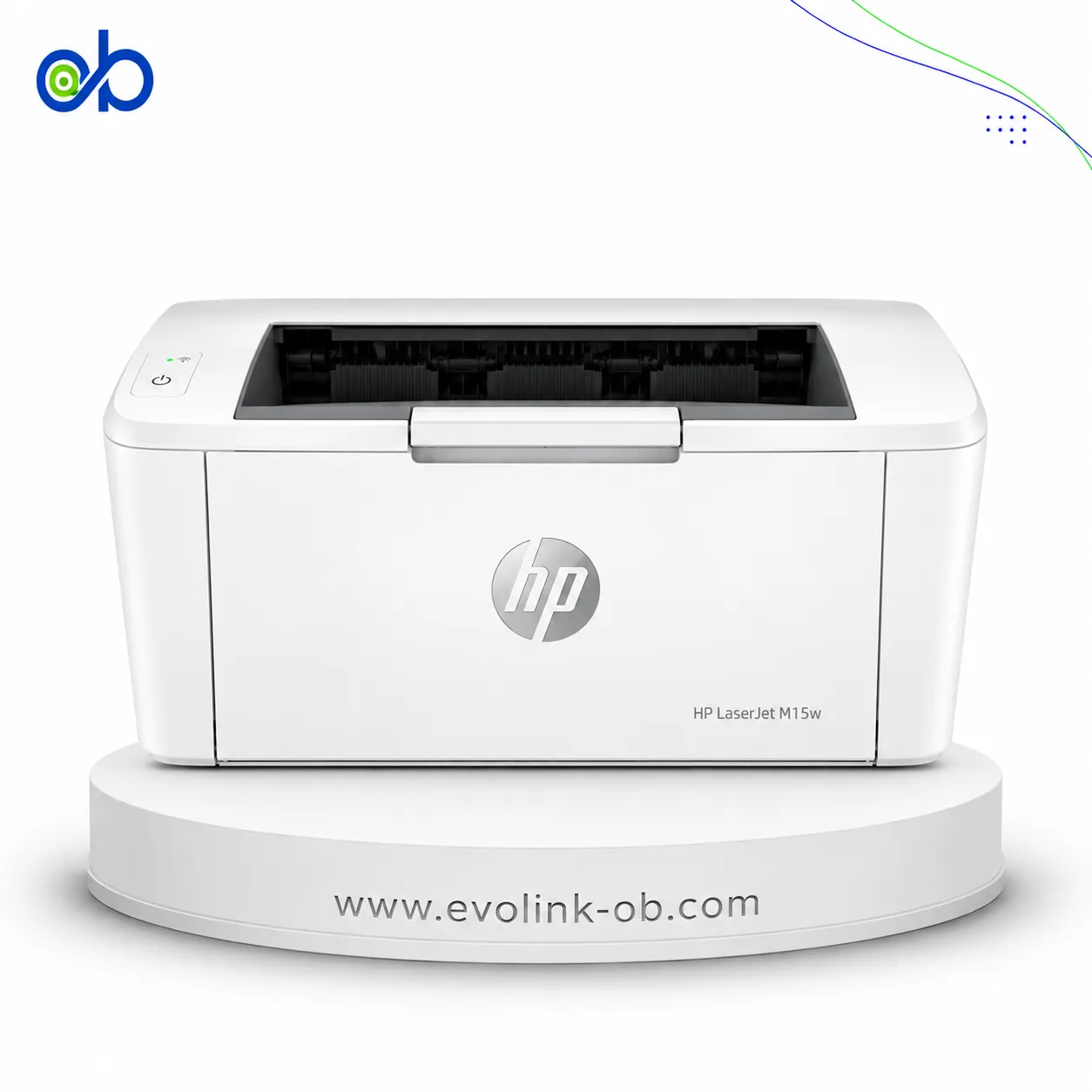
Nearby alternatives currently available for P3015dn Monochrome Laser Printer: HP LaserJet M15w Black & White Printer ($112.00) · HP LaserJet M111A Black & White Printer ($100.00) · HP LaserJet MFP M141w Printer ($155.00).
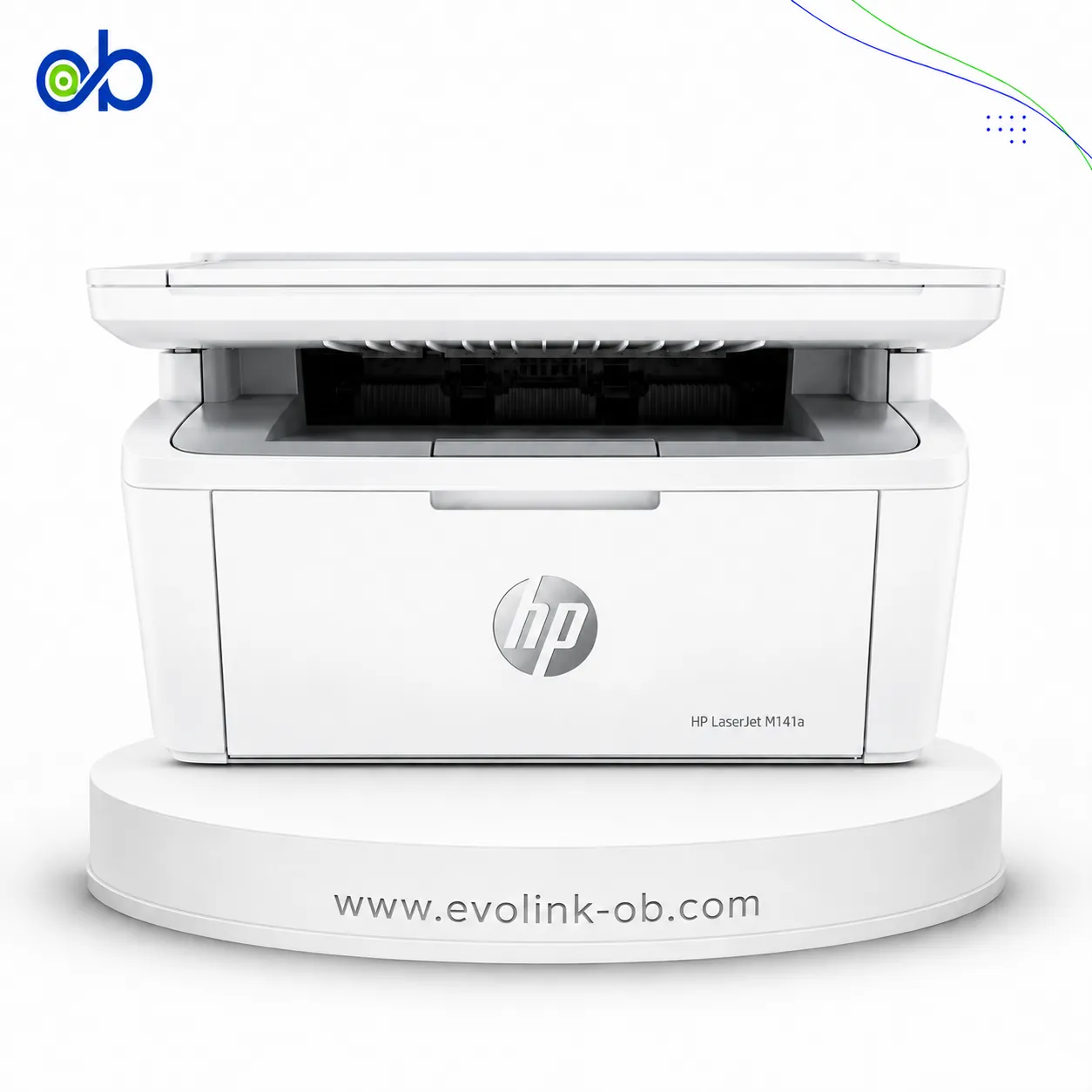
Nearby alternatives currently available for M4345 Multifunction Laser Printer: HP LaserJet MFP M141A 3 in 1 Printer ($135.00) · HP LaserJet M111A Black & White Printer ($100.00) · HP LaserJet MFP M141w Printer ($155.00).
Suitable alternatives to P3015dn Monochrome Laser Printer and M4345 Multifunction Laser Printer are available at EvoLink in Damascus, with shipping to all Syrian governorates.
Address: Syria, Damascus, Halbouni, Musalam Barudi street, Building 1020, 1st floor.
Contact: +963 96 44 007 44 or via WhatsApp.