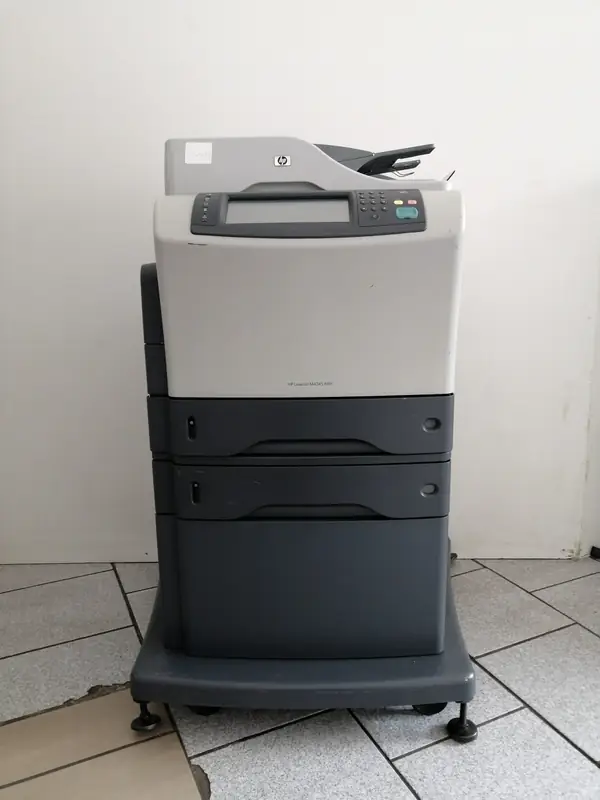
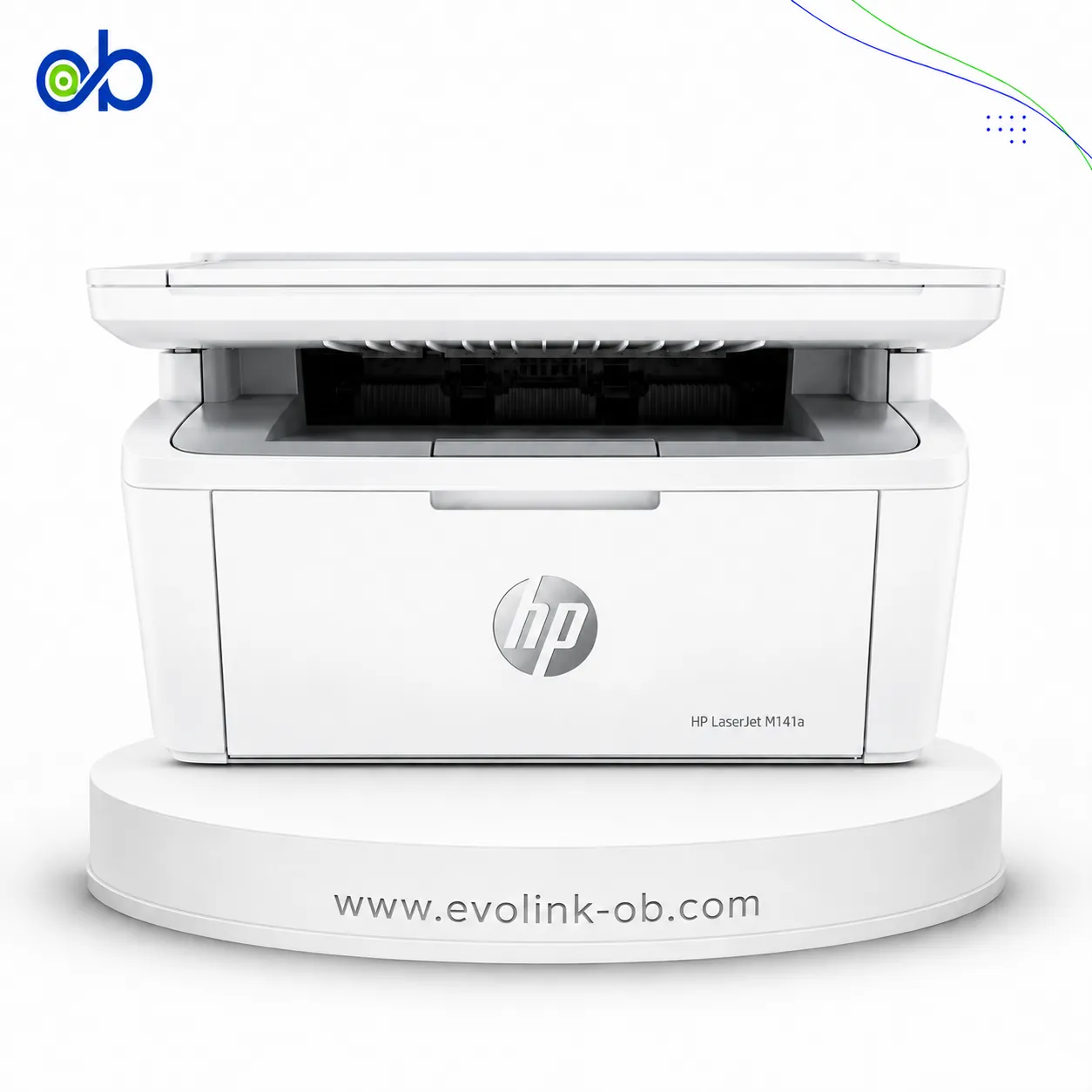
| Price |
Not for sale
|
Not for sale
|
|
Features
|
| Printer Functions |
Print, Copy, Scan
|
Print
|
| Display |
Touchscreen LCD (b&w graphics)
|
2-line LCD (text and graphics)
|
| Control Panel |
HP Easy Select Control Panel
|
2-line backlit LCD graphic display; buttons (OK, Menu, Cancel, Back); LED indicator lights (Attention, Ready)
|
|
Printer Specifications
|
| تقنية الطباعة |
Monochrome Laser
|
Monochrome Laser
|
|
Printing
|
| Print Resolution Technology |
—
|
HP FastRes 1200, HP ProRes 1200, 600 dpi
|
| Maximum Print Resolution |
1200 x 1200 dpi
|
Up to 1200 x 1200 dpi
|
| Duplex Printing |
Optional
|
Manual
|
|
Performance
|
| ISO Black Print Speed A4 |
43 ppm
|
33 ppm
|
| ISO Black Print Speed Letter |
45 ppm
|
35 ppm
|
| Recommended Monthly Volume |
—
|
750 to 3000 pages
|
| Maximum Monthly Duty Cycle |
200000 pages
|
50000 pages
|
| First Print Out Time Black |
—
|
8 sec
|
|
Software
|
| Printer Smart Software Features |
—
|
HP ePrint, HP Auto-On/Auto-Off, HP Smart Install, 2-line LCD backlit control panel, Gigabit networking
|
| Included Software |
—
|
Windows: HP Installer/Uninstaller, HP PCL 6 print driver, Status Alerts, HP Update, DXP; Mac: HP Installer/Uninstaller, HP Postscript driver, HP Setup Assistant, HP Utility, HP Alerts, HP Firmware Updater
|
| Printer Management Utility |
—
|
Windows: HP Device Toolbox, SNP Alerts, HP Web Jetadmin; Mac: HP Utility
|
|
Power
|
| Energy Saving Technology |
—
|
HP Auto-On/Auto-Off Technology
|
| Printing Power Consumption |
—
|
570 W
|
| Ready Mode Power |
—
|
7.3 W
|
| Sleep Mode Power |
—
|
1.68 W
|
| Power Supply Type |
—
|
Built-in power supply
|
| Input Voltage |
100 to 127 VAC (+/- 10%) or 220 to 240 VAC (+/- 10%)
|
110 to 127 VAC (+/- 10%) or 220 to 240 VAC (+/- 10%), 50/60 Hz (+/- 2 Hz)
|
| Input Frequency |
50/60 Hz
|
—
|
|
Supplies
|
| Replacement Toner Cartridge |
Q5945A
|
HP 80A Black LaserJet Toner Cartridge (CF280A); HP 80X Black LaserJet Toner Cartridge (CF280X)
|
| Replacement Toner Yield |
18000 pages
|
2,700 (HP 80A); 6,900 (HP 80X) pages
|
| Starter Toner Yield |
—
|
2700 pages
|
| Print Cartridge Count |
1 cartridge
|
1 cartridge
|
|
Connectivity
|
| Standard Connectivity |
—
|
1 Hi-Speed USB 2.0; 1 Ethernet 10/100/1000 Gigabit network
|
| Mobile Printing Services |
—
|
HP ePrint, Apple AirPrint™, Mopria-certified
|
| Supported Network Protocols |
—
|
TCP/IP, IPv4, IPv6; TCP-IP port 9100 Direct Mode; LPD (raw queue support only); Web Services Printing; IPP 2.0; Apple AirPrint™; HP ePrint; FTP Print; SLP; Bonjour; Web Services Discovery; BootP; DHCP; AutoIP; TFTP Config; ARP-Ping; DHCPv6
|
| Optional Connectivity |
HP Jetdirect Print Servers and HP Secure High Performance Hard Disk Drives
|
—
|
|
Compatibility
|
| Compatible Operating Systems |
Windows 7 ready; Windows Vista, Windows XP Home, Windows XP Professional, Windows XP Professional x64, Windows Server 2003, Windows 2000, Mac OS X v10.2.8, v10.3, v10.4, v10.5, v10.6, Linux
|
Microsoft Windows 7 (32-bit and 64-bit), Windows Vista (32-bit and 64-bit), Windows XP 32-bit (SP2 or higher); Mac OS X v10.5, v10.6, v10.7; Linpus Linux 9.4/9.5; Red Hat Enterprise Linux 5.0/6.0; OpenSUSE 11.3/11.4; Fedora 14/15; Ubuntu 10.04/10.10/11.04; Debian 5.0/6.0; HPUX11i
|
| Windows Server Support |
—
|
Windows Server 2008 (32-bit and 64-bit); Windows Server 2003 (32-bit) SP3 or higher
|
|
Copy
|
| Black Copy Speed A4 |
43 cpm
|
—
|
| Black Copy Speed Letter |
45 cpm
|
—
|
| Copy Resolution |
600 x 600 dpi
|
—
|
| Maximum Copies |
1000 copies
|
—
|
| Copy Scaling |
25 to 400 %
|
—
|
|
Scanning
|
| Scan File Formats |
PDF, JPEG, TIFF, MTIFF
|
—
|
| Scan Input Modes |
Front-panel scan, Copy, Fax, e-mail, ADF
|
—
|
| Scanner Type |
Flatbed, ADF
|
—
|
| Scan Speed Letter |
Up to 45 ppm (b&w)
|
—
|
| Optical Scan Resolution |
Up to 600 dpi
|
—
|
| Maximum Scan Document Size |
216 x 356 mm
|
—
|
| Digital Sending Features |
Send to e-mail, send to network folder, LDAP and SMTP authentication, LDAP addressing
|
—
|
|
Dimensions
|
| Width |
762 mm
|
364.6 mm
|
| Depth |
483 mm
|
368 mm
|
| Height |
545 mm
|
267.5 mm
|
| Maximum Dimensions |
925 x 566 x 549 mm
|
—
|
|
Physical
|
| Weight |
46.5 kg
|
10.1 kg
|
|
Warranty
|
| Manufacturer Warranty |
One-year, on-site limited warranty
|
One-year warranty, return to HP Authorized Service Provider
|
|
Sustainability
|
| ENERGY STAR Certified |
—
|
Yes
|
| Blue Angel Compliant |
Yes
|
—
|
|
Product Information
|
| Product Number |
CB425A
|
CZ195A
|
|
Paper Handling
|
| Automatic Document Feeder Capacity |
50 sheets
|
—
|
| Paper Input Capacity |
—
|
300 sheets
|
| Paper Output Capacity |
—
|
150 sheets
|
| Supported Paper Weight |
Tray 1/optional stacker: 16 to 53; Tray 2/optional 500-sheet input tray/optional automatic two-sided printing unit/optional stapler: 16 to 32; optional envelope feeder: 20 to 28 lb bond
|
16 to 43 lb bond
|
| Supported Media Sizes |
A4, A5, B5 (JIS), executive (JIS), 16K, envelopes (DL ISO, B5 ISO, C5 ISO)
|
A4; A5; A6; B5 (JIS); Letter; Legal; Executive; 8.5 x 13 in
|
| Envelope Capacity |
—
|
10 envelopes
|
| Multipurpose Tray Capacity |
—
|
50 sheets
|
| Minimum Custom Media Size |
—
|
76 x 127 mm
|
| Maximum Custom Media Size |
—
|
216 x 356 mm
|
| Paper Trays |
—
|
2 tray
|
| Finished Output Handling |
—
|
Sheetfed
|
| Custom Media Size Range |
Tray 1: 76 x 127 to 216 x 356 mm; Tray 2 and optional Trays 3, 4, 5: 148 x 210 to 216 x 356 mm
|
—
|
| ADF Media Weight |
60 to 120 g/m²
|
—
|
|
Printer
|
| Printer Language |
HP Postscript Level 3 emulation, PCL 6, PCL 5, PDF 1.4
|
HP PCL 5, HP PCL 6, HP postscript level 3 emulation, direct PDF (v 1.7) printing
|
| CPU Speed |
480 MHz
|
800 MHz
|
| Standard Memory |
256 MB
|
128 MB
|
| Maximum Memory |
512 MB
|
128 MB
|
| Internal Storage |
40 GB
|
—
|
|
Media Handling
|
| Supported Media Types |
Paper (plain, preprinted, letterhead, prepunched, bond, recycled, colour, rough), transparencies, labels, envelopes, card stock
|
Paper (plain, Green mode, light, heavy, bond, color, letterhead, preprinted, prepunched, recycled, rough); envelopes; labels; transparencies; cardstock
|
|
Environment
|
| Operating Temperature |
32.5–10 °C
|
32.5–15 °C
|
| Operating Humidity |
10 to 80 %
|
—
|
| Storage Temperature |
—
|
-20 to 40 °C
|
| Storage Humidity |
—
|
10 to 90 %
|
| Recommended Operating Temperature |
15 to 32.5 °C
|
17.5 to 25 °C
|
| Recommended Operating Humidity |
20 to 80 %
|
30 to 70 %
|
|
Packaging
|
| Carton Dimensions |
—
|
430 x 330 x 480 mm
|
|
Package Contents
|
| Package Contents |
—
|
HP LaserJet Pro 400 M401n; HP 80A Black LaserJet Toner Cartridge (~2,700 pages); Installation guide; Getting Started guide; Support flyer; Warranty guide; Printer documentation and software on CD-ROM; Power cord
|
|
Security
|
| Security Management |
—
|
Password-protected network embedded Web server; enable/disable network protocols; SNMPv2 community password change; SNMPv3; 802.1x; SSL certificate management; Firewall; Access Control List
|
|
Safety
|
| Safety Compliance |
—
|
IEC 60950-1:2005 / EN 60950-1:2006+A11; IEC 60825-1:2007 / EN 60825-1:2007 (Class 1 Laser/LED Product); IEC 62479:2010 / EN 62479:2010; GB4943-2001
|