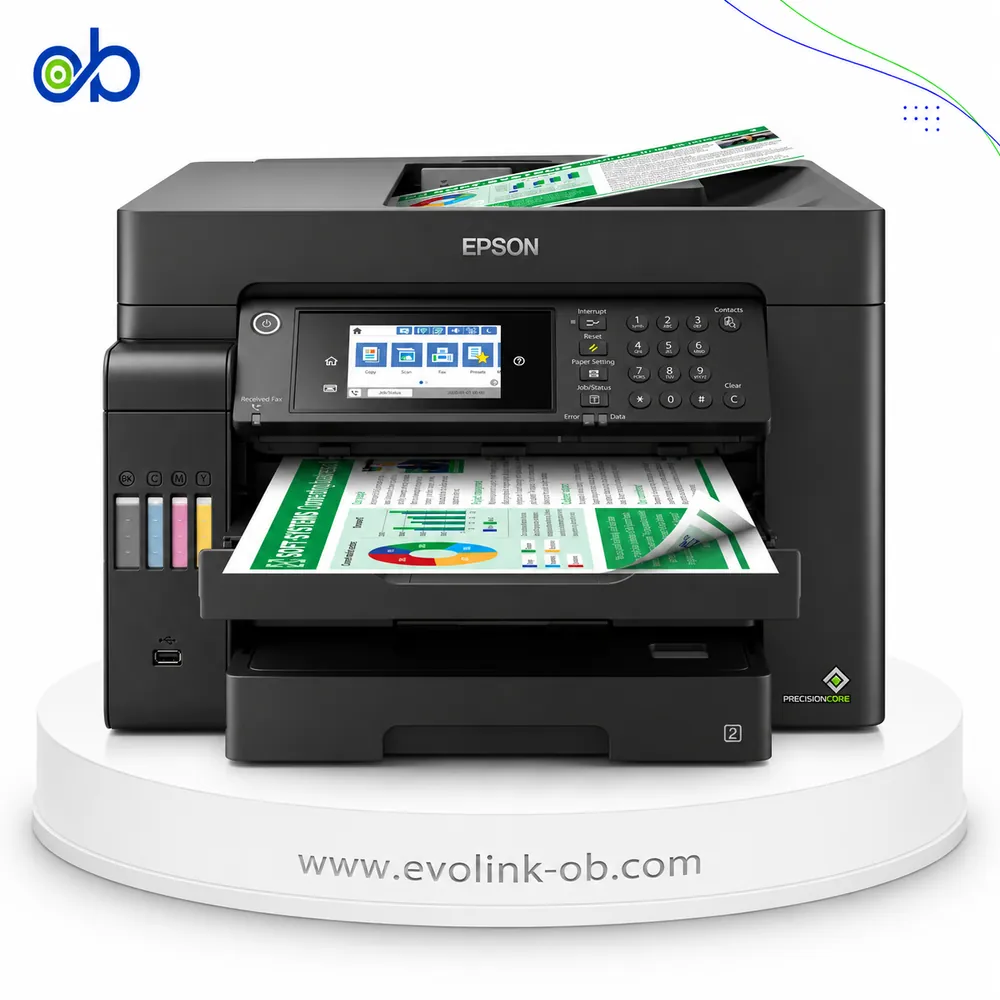
| Price |
Not for sale
|
$135.00
|
|
Features
|
| Printer Functions |
Print, Scan, Copy, Fax
|
Print, Scan, Copy
|
| LCD Display |
6.1 cm (2.4-inch) color touchscreen
|
LCD (1.2 inch segment mono)
|
| Control Panel |
—
|
1.2-inch mono segment LCD
|
| Quiet Mode |
Yes
|
—
|
|
Printer Specifications
|
| تقنية الطباعة |
Epson PrecisionCore
|
Canon FINE
|
|
Printing
|
| Print Colors |
4
|
4
|
| Ink System |
Black, Cyan, Magenta, Yellow
|
Black, Cyan, Magenta, Yellow
|
| Maximum Print Resolution |
4800 x 1200 dpi
|
4800 x 1200 dpi
|
| Duplex Printing |
Automatic
|
Manual
|
| Borderless Printing |
Up to Legal
|
Up to A4
|
| Paper size |
A4
|
ِA4
|
| Print Margins |
3 minimum on top, bottom, left and right mm
|
—
|
| Voice-Activated Printing |
Yes
|
—
|
|
Ink
|
| Ink Technology |
Pigment ink
|
Pigment Black + Dye Colour
|
| Included Black Ink Yield |
13300 pages
|
6000 pages
|
| Included Color Ink Yield |
5200 pages
|
7000 pages
|
| Standard Black Ink Bottle |
Epson 112 Pigment Black, C13T06C14A
|
GI-490 PGBK
|
| Standard Colour Ink Bottles |
Epson 112 Pigment Cyan C13T06C24A, Pigment Magenta C13T06C34A, Pigment Yellow C13T06C44A
|
GI-490 C, GI-490 M, GI-490 Y
|
| Replacement Black Ink Bottle Yield |
7500 pages
|
6000 pages
|
|
Performance
|
| Print Speed Black |
37 ppm
|
8.8 ppm
|
| Maximum Print Speed Color |
23 ppm
|
5 ppm
|
| ISO Print Speed Black |
17 ppm
|
8.8 ppm
|
| ISO Print Speed Color |
9.5 ppm
|
5 ppm
|
| 10×15 cm Photo Print Speed |
—
|
60 sec
|
| First Page Out Time (Black) |
7 sec
|
—
|
| First Page Out Time (Color) |
11 sec
|
—
|
| ISO Duplex Print Speed Black |
7.5 ppm
|
—
|
| ISO Duplex Print Speed Color |
5 ppm
|
—
|
| Maximum Monthly Duty Cycle |
20000 pages
|
—
|
|
Print Head
|
| Black Nozzles |
400
|
—
|
| Nozzles Per Color |
128
|
—
|
| Minimum Droplet Size |
3.3 pl
|
—
|
|
Copy
|
| ISO Copy Speed Black |
12 ppm
|
3.5 ppm
|
| ISO Copy Speed Color |
6 ppm
|
3.5 ppm
|
| Copy Resolution |
600 x 600 input, up to 600 x 1200 output dpi
|
—
|
| Maximum Copies |
99 copies
|
20 copies
|
| Copy Zoom |
25-400 %
|
Actual size %
|
| Copy Features |
—
|
Document copying (plain paper)
|
|
Scanning
|
| Scanner Type |
color flatbed scanner with automatic document feeder
|
CIS flatbed photo and document scanner
|
| Optical Scan Resolution |
1200 x 2400 dpi
|
600 x 1200 dpi
|
| Maximum Scan Area |
21.6 x 29.7 cm
|
21.6 × 29.7 cm
|
| Scan Output Formats |
BMP, JPEG, PICT, TIFF, PDF, PNG
|
—
|
| Flatbed Scan Speed |
Black: 12; Colour: 27 sec
|
19 sec
|
| Scan-to Features |
Scan to PC via Document Capture Pro; Scan to Cloud including email
|
—
|
| Scanner Sensor Type |
CIS
|
CIS
|
| Scanner Colour Bit Depth |
48: input : 24- output bit
|
48: input : 24- output bit
|
| Scanner Grayscale Bit Depth |
16- internal, 8- external bit
|
16 bit input / 8 bit output bit
|
| Scanner Black and White Bit Depth |
16- internal, 1- external bit
|
—
|
| ADF Monochrome Scan Speed |
6 ipm
|
—
|
| ADF Colour Scan Speed |
5 ipm
|
—
|
| Colour Scanning |
Yes
|
—
|
| Monochrome Scanning |
Yes
|
—
|
| Maximum Scan Resolution |
—
|
600 × 1200 dpi
|
| Hardware Scan Resolution |
1200 x 2400 dpi
|
600 × 1200 dpi
|
|
Connectivity
|
| Wireless Connectivity |
Yes
|
Yes
|
| Wi-Fi Direct |
Yes
|
—
|
| Mobile Printing Services |
Epson Connect (iPrint, Email Print, Remote Print Driver, Scan-to-Cloud), Apple AirPrint, Mopria Print Service
|
PIXMA Cloud Link (from smartphone or tablet); Canon PRINT Inkjet/SELPHY app; Mopria (Android); Google Cloud Print; Access Point Mode
|
| Interfaces |
Hi-Speed USB, Ethernet RJ-45
|
Hi-Speed USB (B Port); Wi-Fi: IEEE802.11 b/g/n
|
| Network Protocols |
Bonjour, EpsonNet Print, HTTPS, IPP/IPPS, LPD, Port 9100, SNMP, TCP/IPv4, TCP/IPv6, WSD
|
IEEE 802.11b/g/n
|
| WLAN Security |
WPA2-PSK (AES), WPA/WPA2 Personal, WEP 64-bit, WEP 128-bit
|
WPA-PSK, WPA2-PSK, WEP, Administration password
|
| Ethernet Connectivity |
Yes
|
—
|
| Supported OS |
Windows 10, Windows 8.1, Windows 8, Windows 7, Windows Vista, Windows XP, Windows XP Professional x64 Edition; Windows Server 2016, Windows Server 2012 R2 and Windows Server 2012 for printing and scanning; Mac OS X 10.6.8 to macOS 10.15.x
|
Windows 10, Windows 8.1, Windows 7 SP1
|
| Email Print |
Yes
|
—
|
| Network Management Tools |
Web Config
|
—
|
| Wireless Frequency Bands |
2.4 GHz
|
2.4 GHz
|
| Wireless Standards |
IEEE 802.11 b/g/n; IEEE 802.11n in HT20 mode
|
IEEE802.11 b/g/n
|
| Wireless Setup |
Infrastructure mode, Wi-Fi Direct Simple AP, Wi-Fi Protected Setup (WPS)
|
—
|
|
Paper Handling
|
| Paper Input Capacity |
250 sheets
|
100 sheets
|
| Paper Output Capacity |
30 sheets
|
—
|
| Paper Trays |
1 tray
|
—
|
| Supported Paper Weight |
64-95 g/m²
|
Plain paper: 64 - 105; Canon photo paper: up to 275 g/m²
|
| Automatic Document Feeder Capacity |
35 sheets
|
—
|
| Rear Paper Feed |
Yes
|
Yes
|
| Photo Paper Capacity |
20 sheets
|
—
|
| Standard Tray Media Types |
Plain paper, Ultra Premium Presentation Paper Matte, Premium Presentation Paper Matte, Presentation Paper Matte, No. 10 envelopes, card stock up to 255 g/m2
|
Plain, high-resolution, glossy/semi-gloss/matte photo paper, envelopes
|
| Manual Feed Slot Media Types |
Plain paper, thick paper, envelopes, photo paper, matte paper and self-adhesive sheets
|
—
|
| ADF Supported Paper Weight |
64-95 g/m²
|
—
|
| Maximum Custom Paper Length |
1200 mm
|
—
|
| Standard Paper Tray Capacity |
250 sheets
|
100 sheets
|
| ADF Paper Size Range |
Letter, Legal, A4, 216 x 330 mm
|
—
|
|
Dimensions
|
| Width |
346 mm
|
445 mm
|
| Depth |
375 mm
|
330 mm
|
| Height |
347 mm
|
163 mm
|
|
Physical
|
| Weight |
7.3 kg
|
6.3 kg
|
| Printer Colour |
White
|
Black
|
|
Power
|
| Supply Voltage |
100-240 V
|
100–240 V
|
| Frequency |
50-60 Hz
|
50-60 Hz
|
| Ready Mode Power |
5.3 W
|
1.2 W
|
| Sleep Mode Power |
0.9 W
|
1.2 W
|
| Power Off Consumption |
0.3 W
|
0.2 W
|
| Standalone Copying Power Consumption |
12 W
|
11 W
|
| ENERGY STAR Support |
Yes
|
—
|
| Copying Power Consumption |
12 W
|
11 W
|
|
Maintenance
|
| Replaceable Maintenance Box |
Yes
|
—
|
|
Fax
|
| Fax Transmission Speed |
33.6 kbps
|
—
|
| Fax Memory |
180 pages
|
—
|
| Fax Speed Dials |
Up to 100 names and numbers
|
—
|
| Fax Type |
Standalone black-and-white and color fax, ITU-T Super Group 3
|
—
|
| Fax Error Correction Mode |
CCITU/ITU Group 3 fax with Error Correction Mode
|
—
|
| Fax Resolution |
Monochrome: Standard 203 x 98, Fine 203 x 196, Super Fine 203 x 392, Ultra Fine 406 x 392, Photo 203 x 196; color: 200 x 200 dpi
|
—
|
| Fax Features |
PC Fax, Auto Redial, Address Book, Broadcast Fax, Fax Preview, Polling Reception
|
—
|
|
Printer
|
| Printer Category |
Home Office, Office Desktop
|
—
|
|
Software
|
| Desktop Printing and Scanning Software |
Epson printer driver, Epson ScanSmart, Epson Scan 2, Document Capture Pro
|
Canon PRINT
|
|
Environment
|
| Operating Temperature |
10-35 °C
|
5–35 °C
|
| Operating Humidity |
20-80 %
|
10–90 %
|
| Storage Temperature |
-20 to 40 before initial ink charging; -15 to 40 after initial ink charging °C
|
—
|
| Storage Humidity |
5-85 %
|
—
|
|
Noise
|
| Printing Sound Pressure |
—
|
53.5 dB(A)
|