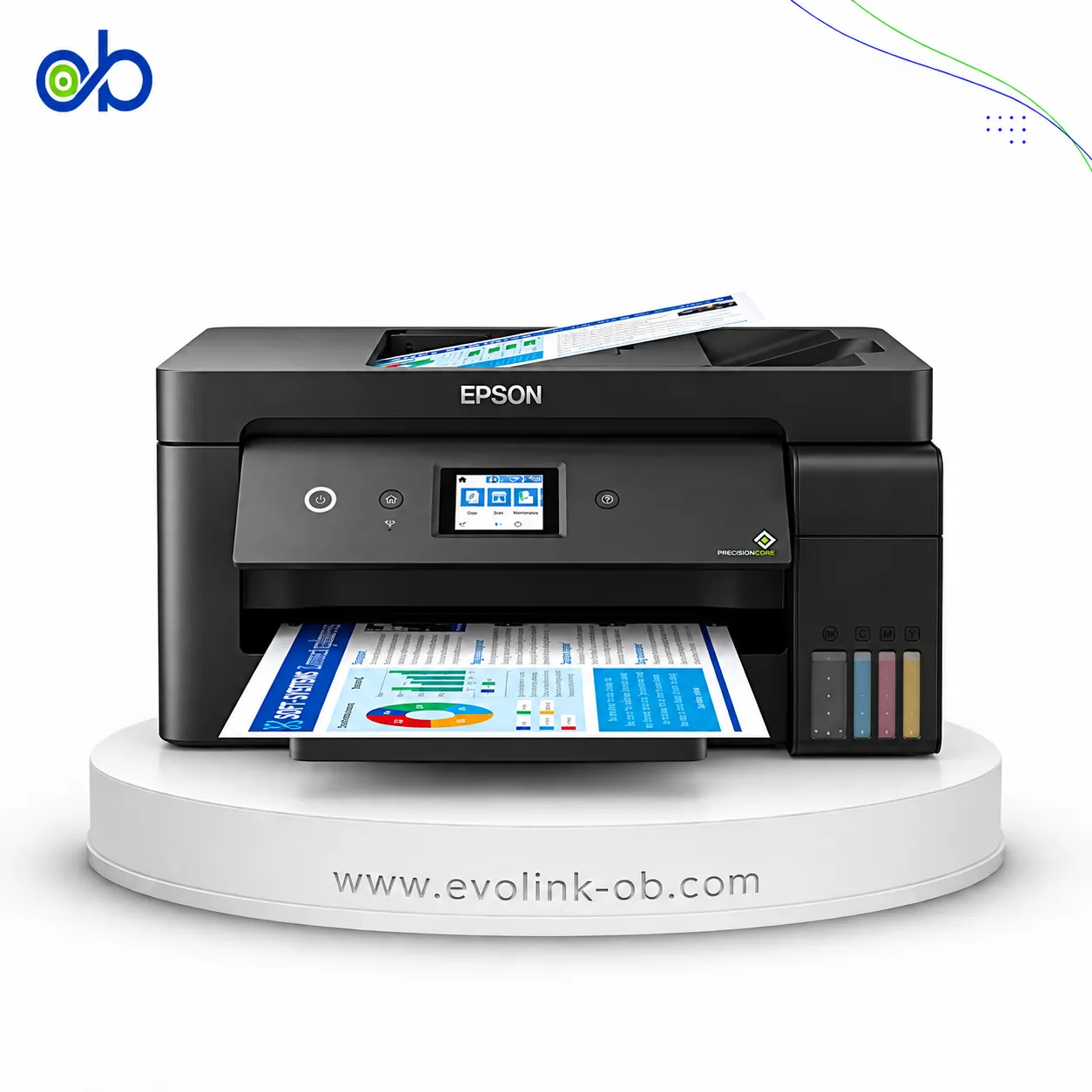
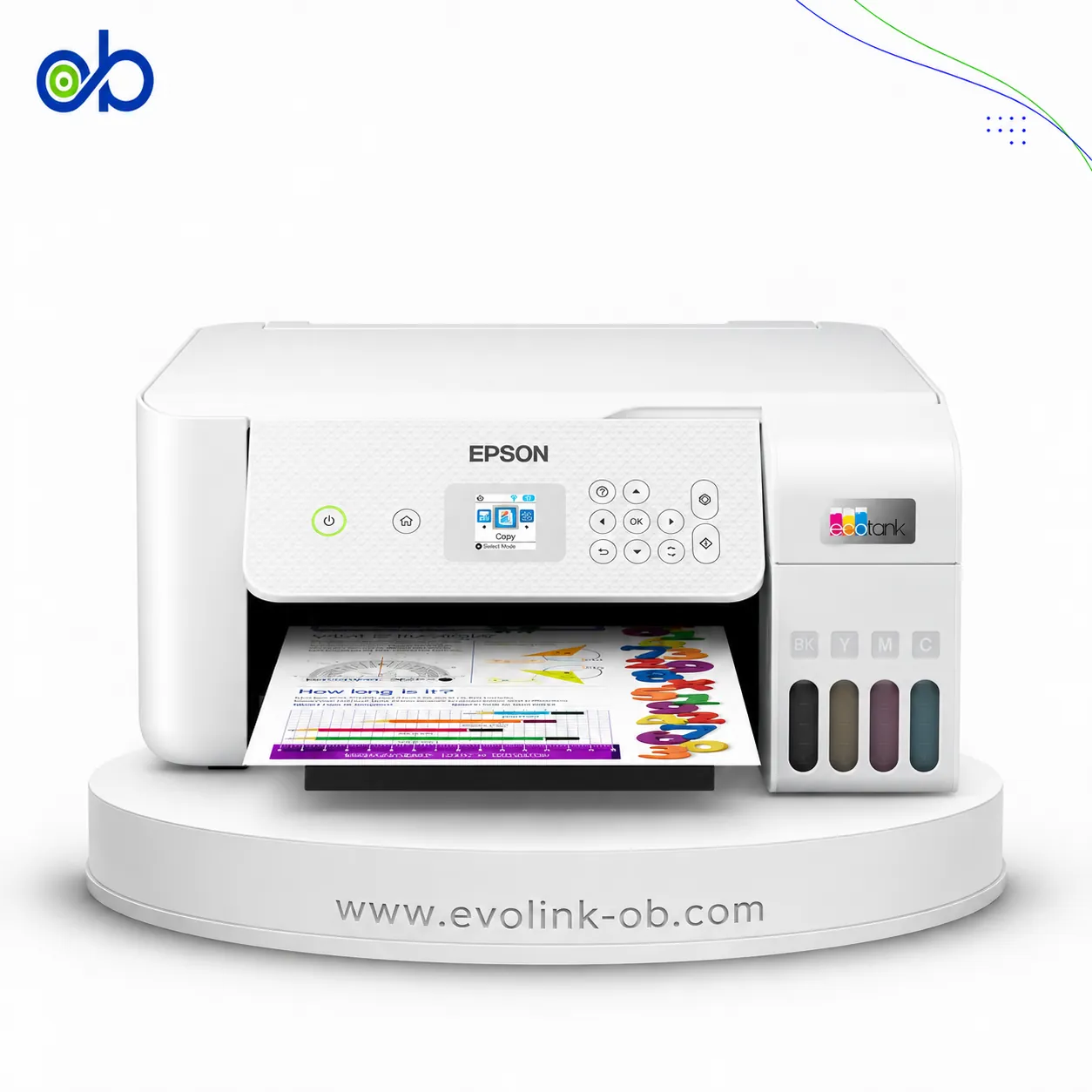
EcoTank L1270 Printer
An Epson tank printer identified as the EcoTank L1270, intended for users comparing this printer category and…
Not for sale
A full side-by-side comparison of reference models EcoTank L1270 Printer and EcoTank M3170 Printer within the same category.
An Epson tank printer identified as the EcoTank L1270, intended for users comparing this printer category and…
Not for sale

An Epson EcoTank M3170 tank printer for users comparing models within the ink tank printer category before mak…
Not for sale
| Specification | EcoTank L1270 Printer | EcoTank M3170 Printer |
|---|---|---|
| Price | Not for sale | Not for sale |
| Features | ||
| Printer Functions | Print, Scan, Copy, Fax | |
| LCD Display | — | 2.4-inch / 6.1 cm color touchscreen |
| Control Panel | — | 6.1 cm color touchscreen |
| Printer Specifications | ||
| تقنية الطباعة | Epson Micro Piezo | Epson PrecisionCore |
| Printing | ||
| Print Colors | 4 | 1 |
| Ink System | Black, Cyan, Magenta, Yellow | Black |
| Maximum Print Resolution | 5760 x 1440 dpi | 1200 x 2400 dpi |
| Duplex Printing | Manual | Automatic |
| Borderless Printing | Up to 10 x 15 | — |
| Paper size | A4 | A4 |
| Print Margins | 3 mm | 3 top, bottom, left and right on plain paper mm |
| Ink | ||
| Ink Technology | Dye ink | Pigment ink |
| Included Black Ink Yield | 8100 pages | 11000 pages |
| Included Color Ink Yield | 6500 pages | — |
| Standard Black Ink Bottle | 103 EcoTank Black, C13T00S14A, 65 ml | Epson 110 Pigment Black, C13T03P14A |
| Standard Colour Ink Bottles | Epson 103 EcoTank Cyan C13T00S24A, Magenta C13T00S34A and Yellow C13T00S44A ink bottles; 65 ml each | — |
| Replacement Black Ink Bottle Yield | 4500 pages | 6000 pages |
| Performance | ||
| Print Speed Black | 33 ppm | 39 ppm |
| Maximum Print Speed Color | 15 ppm | — |
| ISO Print Speed Black | 10 ppm | 20 ppm |
| ISO Print Speed Color | 5 ppm | — |
| 10×15 cm Photo Print Speed | 69 sec | — |
| First Page Out Time (Black) | — | 6 sec |
| ISO Duplex Print Speed Black | — | 9 ppm |
| Recommended Monthly Volume | — | 20000 pages |
| Maximum Monthly Duty Cycle | — | 20000 pages |
| Print Head | ||
| Black Nozzles | 180 | 400 |
| Nozzles Per Color | 59 | — |
| Minimum Droplet Size | 3 pl | 2.8 pl |
| Copy | ||
| ISO Copy Speed Black | — | 17 ppm |
| Copy Resolution | — | 600 x 600 dpi |
| Maximum Copies | — | 99 copies |
| Copy Zoom | — | 25-400 % |
| Maximum Copy Size | — | A4 |
| Scanning | ||
| Scanner Type | — | Flatbed color image scanner |
| Optical Scan Resolution | — | 1200 x 2400 dpi |
| Maximum Scan Area | — | 21.6 x 29.7 cm |
| Scan Output Formats | — | BMP, JPEG, PICT, TIFF, PDF, PNG |
| Flatbed Scan Speed | — | Black: 12; Colour: 27 sec |
| Scanner Sensor Type | — | CIS |
| Scanner Colour Bit Depth | — | 48: input : 24- output bit |
| Scanner Grayscale Bit Depth | — | 16- input, 8- output bit |
| Scanner Black and White Bit Depth | — | 16- input, 1- output bit |
| ADF Monochrome Scan Speed | — | 7 ipm |
| ADF Colour Scan Speed | — | 7 ipm |
| Colour Scanning | — | Yes |
| Monochrome Scanning | — | Yes |
| Maximum Scan Resolution | — | 9600 interpolated dpi |
| Hardware Scan Resolution | — | 1200 x 2400 dpi |
| Connectivity | ||
| Wireless Connectivity | Yes | Yes |
| Wi-Fi Direct | Yes | Yes |
| Mobile Printing Services | Epson Connect: Epson iPrint, Email Print, Remote Print Driver | Epson Connect (Epson iPrint, Email Print, Remote Print Driver, Scan-to-Cloud), Apple AirPrint, Google Cloud Print, Mopria Print Service |
| Interfaces | USB, Wi-Fi, Wi-Fi Direct | USB, Ethernet, Wi-Fi, Wi-Fi Direct |
| Ethernet Connectivity | — | Yes |
| Supported OS | Mac OS X 10.6.8 or later; Windows 10; Windows 8.1; Windows 8; Windows 7; Windows Vista; Windows XP SP3 or later (32-bit); Windows XP Professional x64 Edition SP2 or later; Windows Server 2016; Windows Server 2012 R2; Windows Server 2012 (64-bit); Windows Server 2008 R2; Windows Server 2008 (32/64-bit); Windows Server 2003 R2; Windows Server 2003 SP2 or later | Mac OS X 10.6.8 or later; Windows 10; Windows 8.1; Windows 8; Windows 7; Windows Vista; Windows XP SP3; Windows XP Professional x64 Edition SP2; Windows Server 2003 R2 x64; Windows Server 2008 32/64-bit; Windows Server 2008 R2; Windows Server 2012 64-bit; Windows Server 2012 R2; Windows Server 2016 |
| Email Print | Yes | Yes |
| Paper Handling | ||
| Paper Input Capacity | 100 sheets | 250 sheets |
| Paper Output Capacity | 30 sheets | 100 sheets |
| Paper Trays | 1 tray | 1 tray |
| Supported Paper Weight | 64–300 g/m² | 64-256 g/m² |
| Automatic Document Feeder Capacity | — | 35 sheets |
| Rear Paper Feed | Yes | Yes |
| Standard Tray Media Types | Plain paper, Epson photo paper, and envelopes | — |
| ADF Supported Paper Weight | — | 64-95 g/m² |
| Standard Paper Tray Capacity | — | 250 sheets |
| Dimensions | ||
| Width | 375 mm | 375 mm |
| Depth | 347 mm | 347 mm |
| Height | 169 mm | 346 mm |
| Physical | ||
| Weight | 2.9 kg | 7.3 kg |
| Printer Colour | Black | White |
| Power | ||
| Supply Voltage | 100–240 V | 100-240 V |
| Frequency | 50-60 Hz | 50-60 Hz |
| Ready Mode Power | 3 W | 5.4 W |
| Sleep Mode Power | 0.7 W | 0.9 W |
| Power Off Consumption | 0.2 W | 0.2 W |
| Printing Power Consumption | 12 W | 13 W |
| Standalone Copying Power Consumption | — | 12 W |
| Copying Power Consumption | — | 12 W |
| Maintenance | ||
| Replaceable Maintenance Box | — | Yes |
| Fax | ||
| Fax Transmission Speed | — | 33.6 kbps |
| Fax Memory | — | 180 pages |
| Fax Speed Dials | — | 100 names and numbers |
| Fax Type | — | Walk-up Black/White, Color |
| Fax Error Correction Mode | — | ITU Group 3 with ECM |
| Fax Features | — | PC Fax, Auto Redial, Address Book, Broadcast Fax, Fax Preview, Polling Reception |
| Printer | ||
| Printer Category | Home, Home Office | Home Office, Office Desktop, Office Workgroup |
| Printer Language | ESC/P-R | ESC/P-R |
| Product SKU | C11CJ71407 | C11CG92404BY |
| Software | ||
| Desktop Printing and Scanning Software | Epson Printer Driver | — |
| Environment | ||
| Operating Temperature | 10–35 °C | — |
| Operating Humidity | 20–80 % | — |
| Storage Temperature | -20–40 °C | — |
| Storage Humidity | 5–85 % | — |
| Noise | ||
| Printing Sound Pressure | — | 56 dB(A) |
| Package Contents | ||
| Package Contents | EcoTank L1270 printer, 4 x 65 ml individual ink bottles (black, cyan, yellow and magenta), 1 additional black ink bottle, power cable, setup guide and warranty document | — |
Overall, the technical lean favors EcoTank M3170 Printer on Printer Functions and Print Margins. EcoTank L1270 Printer remains the better pick if your priority is Ink System. They share Paper size and Wireless Connectivity. Review the choice points above, then confirm availability before buying.
EcoTank L1270 Printer and EcoTank M3170 Printer share a close technical baseline, notably Paper size, Wireless Connectivity, Wi-Fi Direct.
The main decisive differences: Printer Functions (EcoTank L1270 Printer: Print, EcoTank M3170 Printer: Print, Scan, Copy, Fax); Ink System (EcoTank L1270 Printer: Black, Cyan, Magenta, Yellow, EcoTank M3170 Printer: Black); Maximum Print Resolution (EcoTank L1270 Printer: 5760 x 1440 dpi, EcoTank M3170 Printer: 1200 x 2400 dpi); Print Margins (EcoTank L1270 Printer: 3 mm, EcoTank M3170 Printer: 3 top, bottom, left and right on plain paper mm); Included Black Ink Yield (EcoTank L1270 Printer: 8100 pages, EcoTank M3170 Printer: 11000 pages).
In practice, EcoTank L1270 Printer suits needs centered on Ink System, while EcoTank M3170 Printer fits priorities around Printer Functions. Review the specs table above before deciding.
Nearby alternatives currently available for EcoTank L1270 Printer: Epson EcoTank L3350 Printer ($145.00) · Epson EcoTank L8050 Printer ($300.00) · Epson EcoTank L18050 Printer ($515.00).
Nearby alternatives currently available for EcoTank M3170 Printer: Epson EcoTank L14150 Printer ($490.00) · Epson EcoTank L6370 Printer ($340.00) · Epson EcoTank L3350 Printer ($145.00).
Suitable alternatives to EcoTank L1270 Printer and EcoTank M3170 Printer are available at EvoLink in Damascus, with shipping to all Syrian governorates.
Address: Syria, Damascus, Halbouni, Musalam Barudi street, Building 1020, 1st floor.
Contact: +963 96 44 007 44 or via WhatsApp.